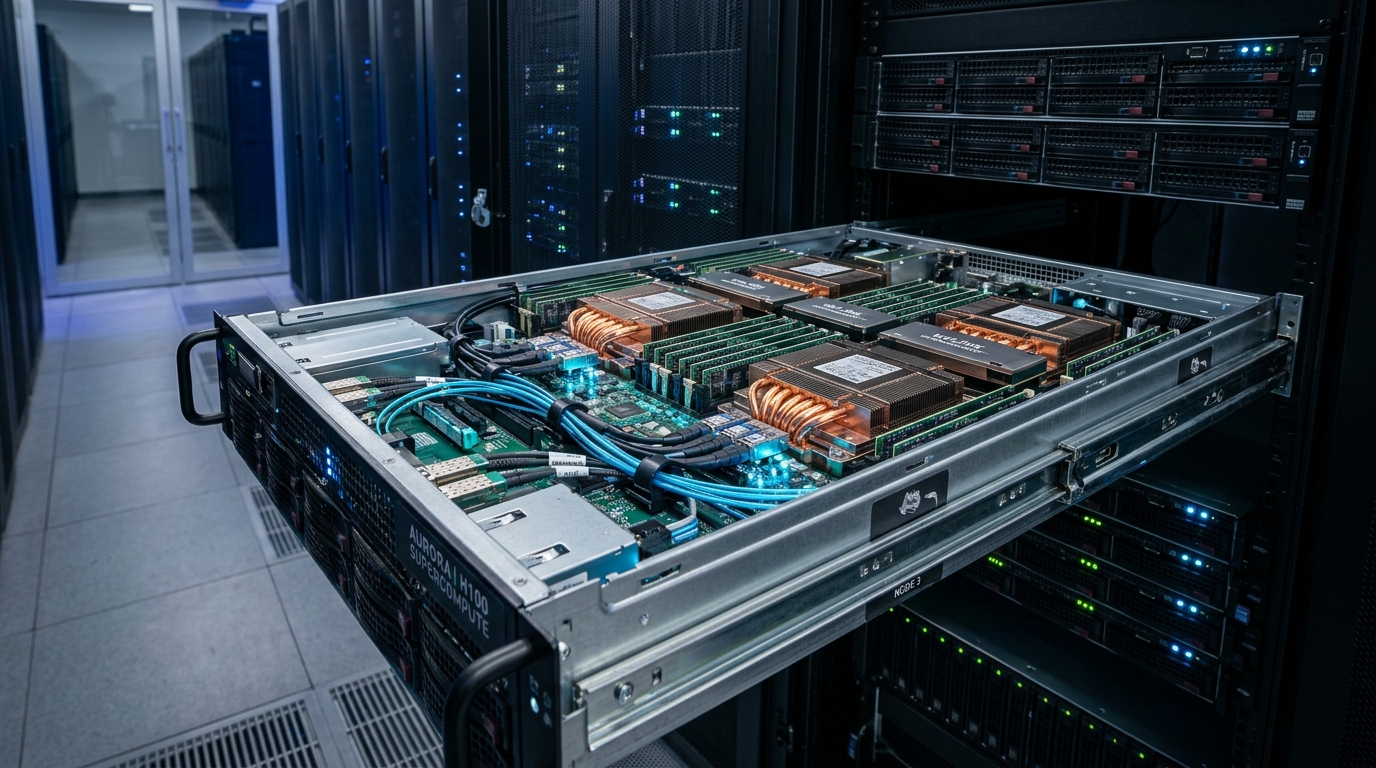
Bare metal GPU servers give one customer a physical host with dedicated GPU resources. They can suit sustained AI workloads, specific software requirements, and teams that need control over the operating system. Their value depends on the work completed, the cost of keeping capacity available, and the effort required to run it.
A model that loads into GPU memory has passed only the first check. Training must finish within a useful time and budget. Inference must serve real traffic within response-time and quality targets.
Infrastructure Decision Order: Choose infrastructure in this order: define the workload, calculate memory needs, test performance, compare complete costs, and confirm recovery arrangements. That process provides a stronger basis for a purchase than GPU count or an advertised hourly rate.
Match the Deployment Model to the Workload
Bare metal describes the physical allocation. Cloud describes a way to deliver and manage infrastructure. A provider can offer bare metal through a cloud platform, including automated provisioning and usage-based billing.
Google Cloud, for example, documents bare metal instances alongside virtual machines. The distinction concerns access to the physical host, rather than a simple choice between physical servers and cloud services.
Dedicated Hosts, GPU VMs, and Managed Services
| Deployment | Main benefit | Main trade-off | Suitable starting point |
|---|---|---|---|
| Bare metal GPU server | Dedicated host resources and control within the service terms | Capacity commitments and operating responsibilities | Sustained workloads or specific host requirements |
| GPU virtual machine | Flexible instance allocation and platform integration | Hardware access and GPU allocation vary | Development, experiments, and changing demand |
| Fractional GPU service | Smaller resource allocation | Memory and compute limits may restrict the workload | Smaller supported models |
| Managed inference service | Provider handles part of the serving stack | Less control over supported models and runtime behavior | Teams that prioritize application delivery |
A GPU VM may expose a whole physical GPU through passthrough. Another service may allocate a partition or share GPU time. These arrangements are different, so ask for the actual allocation model.
Do not apply a fixed performance penalty to every virtual machine. Compare the same workload on the offered configurations.
Host Abstraction Layers: Bare Metal vs. Virtualized GPU Deployments
Bare metal eliminates hypervisor jitter, PCIe virtualization latency, and shared-host cache contention.
Sustained Demand and Variable Traffic
A monthly dedicated server becomes easier to justify when useful work occupies much of the available capacity. Long training runs, scheduled fine-tuning, or steady inference traffic can support that pattern.
Short experiments create a different cost profile. A server reserved for a full month still incurs its rental charge while it sits idle. Hourly capacity may cost less if resources can be released between jobs.
Variable demand also affects serving. A system that handles average traffic may fall behind during a burst. Dedicated capacity needs enough reserve, additional replicas, or another way to handle demand above its tested limit.
Separate Training, Fine-Tuning, and Inference Requirements
The same GPU can perform several types of AI work, but each workload places different demands on the server.
Training Requires More Than Model Weights
Training updates model parameters. Depending on the method, GPU memory must hold weights, gradients, optimizer state, activations, and temporary buffers.
The dataset pipeline matters too. A GPU can spend time waiting if storage, CPU processing, or data loading cannot supply the next batch.
Hugging Face's memory documentation separates these allocations. That distinction explains why the memory needed to run a trained model does not describe the memory needed to train it.
For training, define the dataset, precision, optimizer, batch size, sequence length, and target quality before comparing servers.
Fine-Tuning Requirements Change with the Method
Full-parameter fine-tuning updates the model's parameters and can require substantial training.
Adapter methods such as LoRA update a smaller set of parameters. QLoRA combines adapter training with a quantized base model. These approaches can reduce memory requirements, but the exact result depends on the implementation and training settings.
A quote based only on the phrase "fine-tune a 70B model" leaves too much unspecified. Include the method, model revision, sequence length, batch settings, and required completion time.
Inference Requires a Defined Request Profile
Inference uses a trained model to produce an output. For an LLM service, prompt length, output length, concurrency, and request arrival rate all affect capacity.
A short internal chatbot request differs from a long-document analysis request. One registered user may also trigger several model calls through a custom software application.
| Workload | Inputs to record | Useful purchase metric |
|---|---|---|
| Full training | Model, dataset, optimizer, precision, batch, sequence length | Cost and time to reach target quality |
| Adapter fine-tuning | Base model, adapter method, training settings | Cost per accepted training run |
| Interactive inference | Request lengths, arrival pattern, concurrency | Throughput within latency and quality limits |
| Batch inference | Dataset size, output requirements, deadline | Cost per completed batch |
Computer vision and other AI workloads need their own input definitions. LLM token rates should not become a general measure of all inference performance.
Build the GPU Memory Budget Before Choosing a Server
GPU memory determines which allocations can remain on the device. System RAM and storage serve different roles and should not be added to VRAM as though they were interchangeable.
Calculate Weight Memory as a Lower Bound
A simple starting calculation is:
Using decimal gigabytes:
| Dense-model example | Ideal weight-only memory |
|---|---|
| 8 billion parameters at 16 bits | 16 GB |
| 70 billion parameters at 16 bits | 140 GB |
| 70 billion parameters at 4 bits | 35 GB |
These figures are arithmetic examples, not complete deployment requirements.
A quantized model can include metadata and components stored at a different precision. The runtime also needs memory beyond the weights. Therefore, a 35 GB weight estimate does not establish that a model will serve the intended workload on a GPU with slightly more than 35 GB available.
Add Training State or Inference Cache
Build a separate budget for each workload.
For training, include:
- Model weights.
- Gradients and optimizer state.
- Activations.
- Temporary buffers.
- Memory used by the framework.
For autoregressive transformer inference, include weights, the key-value cache, activations, runtime buffers, and operating reserve. The KV cache stores attention-related state used during generation. Its size depends on the model and serving configuration.
Longer contexts and more active requests can increase memory demand. Test the largest supported request profile as well as ordinary traffic.
Atal Networks' LLM server sizing guide provides a related checklist for separating model memory from request demand before selecting a dedicated server.
VRAM Budget Breakdown: Training State vs. Serving Cache
Optimizer state and gradients create an 8x+ VRAM multiplier in training compared to quantized runtime inference.
Check Memory Placement Across GPUs
Four GPUs with 48 GB each provide 192 GB of installed GPU memory. They do not automatically behave like one 192 GB device.
The software must distribute the model or workload across those devices. Tensor parallelism divides model computation, while other methods distribute layers, training state, or independent replicas.
Independent replicas may suit a model that fits on one GPU. A model spread across several GPUs creates communication requirements.
NVIDIA's NCCL documentation describes how GPU communication depends on peer access and the PCIe or NVLink topology. GPU count alone does not describe those paths.
Assess the Complete Server and Software Stack
GPU specifications matter, but the surrounding system determines whether the application can use that capacity effectively.
Compare Capacity, Bandwidth, and Supported Precision
Memory capacity answers whether the required allocations fit. Memory bandwidth describes how quickly data can move within GPU memory. Compute capability describes another part of the workload.
A larger-memory GPU may solve a capacity problem without delivering the best price for the target throughput. A newer precision format may reduce memory or increase speed only if the model, runtime, and kernels support it at acceptable quality.
Request the exact GPU model and variant. Avoid treating two offers with the same product-family name as identical.
Inspect GPU Links and the Cluster Network
Check the paths between GPUs, CPUs, and network adapters. Ask for the topology rather than assuming that all devices communicate through equivalent connections.
For multi-node work, separate three types of traffic:
| Traffic | Main concern |
|---|---|
| GPU communication between nodes | Latency, bandwidth, collective operations, and fabric configuration |
| Dataset and checkpoint traffic | Storage access, throughput, and persistence |
| Public application traffic | Client access, transfer limits, and external latency |
A public 10 Gbps port does not prove that a cluster has the fabric needed for efficient distributed training.
Likewise, a fast network adapter does not establish usable end-to-end performance. The switches, routing, drivers, and software configuration also matter.
Internal Bus vs. Scale-Out Cluster Network Bandwidth
Do not confuse a 10Gbps public internet port with the 400G+ RDMA/InfiniBand fabrics required for multi-node GPU gradients.
Check CPU, RAM, Storage, and Compatibility
CPU and RAM support data preparation, tokenization, scheduling, and application services. Local NVMe storage may hold datasets, model files, or temporary artifacts. Durable storage must preserve the checkpoints and files needed after a node failure.
Record the complete software stack:
- Operating system and kernel.
- GPU driver.
- CUDA or ROCm version.
- Framework version.
- Training or serving engine.
- Required libraries and kernels.
- Model format and license.
AMD publishes version-specific compatibility matrices because GPU support depends on the surrounding software environment. Check the exact proposed combination rather than relying on a broad "supports PyTorch" statement.
Containers can help package an application, but they do not remove host-driver or hardware requirements. Bare metal can run containers; the terms describe different layers.
Compare Performance with a Repeatable Workload
A purchase test should establish whether the configuration completes the required work within agreed limits.
Measure Training Against a Fixed Target
Use the same model, dataset, training settings, and quality target when comparing configurations.
Record wall-clock time, throughput, peak memory, checkpoint time, failures, and total billed resources. Faster individual steps do not necessarily mean a cheaper completed run if setup, data loading, or recovery takes longer.
Scaling also needs measurement. Adding GPUs may reduce training time, but communication and other overhead can reduce the gain.
Compare the cost of reaching the required result, not just the cost of one GPU-hour.
Measure Inference Within Latency Limits
For interactive LLM serving, record:
- Time to first token.
- Time between streamed outputs or request-level output-token timing.
- Total request completion time.
- Aggregate throughput.
- Queue time.
- Error and memory-failure rates.
Keep per-user response speed separate from aggregate throughput. A configuration can produce more total tokens while making each user wait longer.
vLLM documents these serving metrics and distinguishes request-level token timing from streamed-output timing. Use consistent definitions across tests.
Record the Conditions Behind Every Result
Include the model revision, precision, software versions, prompt and output lengths, arrival pattern, concurrency, warm-up, test duration, and repetitions.
Test quality as well as speed. A smaller representation or different serving configuration is useful only if it still meets the application's acceptance criteria.
MLPerf defines inference benchmarks around datasets, quality targets, and serving scenarios. Performance numbers need these conditions to support a buying decision.
Published benchmarks can help shortlist systems. A pilot with the actual workload should decide the purchase.
Calculate Total Cost and the Commitment Threshold
A low advertised rate can describe a different GPU quantity, contract term, or service scope than the buyer expects.
Normalize the Quote
Confirm whether the price applies to:
- One GPU or a complete server.
- An hourly allocation or a prepaid term.
- A minimum number of servers.
- A particular region.
- Included storage and network transfer.
- Managed or unmanaged service.
Then calculate:
Use the same comparison period and workload requirements for each option.
Include Idle Capacity
Consider an illustrative comparison:
- Monthly server: $3,000.
- Hourly alternative: $6 per whole-node hour.
- Equal tested output and service scope assumed.
- Additional costs excluded.
These are assumed figures, not current provider prices or measured results.
| Billed hours in a 720-hour month | Hourly option | Monthly option |
|---|---|---|
| 180 | $1,080 | $3,000 |
| 360 | $2,160 | $3,000 |
| 540 | $3,240 | $3,000 |
| 720 | $4,320 | $3,000 |
The monthly option becomes cheaper above 500 hours under these assumptions.
TCO Crossover: Fixed Monthly Dedicated vs. Hourly Cloud On-Demand
Above 500 hours of active cluster utilization (~69% duty cycle), bare metal monthly rental delivers superior TCO.
The threshold changes with the hourly price. At $4 per hour, the crossover becomes 750 hours, beyond this 720-hour month. At $8 per hour, it falls to 375 hours.
Performance differences can change the result again. An hourly system that completes the same accepted work in fewer hours needs a comparison based on those hours, not identical rental time.
Also distinguish reserved time from GPU activity. An idle server that must remain ready for unpredictable requests still carries a cost.
Compare Cost per Useful Result
For training, use the complete cost of an accepted run. Include failed runs and restart costs when they affect the project budget.
For inference, a useful measure is:
Hold model quality, prompt lengths, output lengths, and latency targets consistent. Otherwise, the token-cost figures describe different services.
Batch jobs may use cost per processed document, image, or completed dataset instead. Choose a unit that reflects the application's actual output.
Check Operating Responsibilities Before Signing
Dedicated hardware gives a clear allocation boundary. It does not remove maintenance, security, or recovery work.
Confirm Access and Data Handling
Document which party handles the operating system, GPU drivers, application updates, monitoring, and incident response.
Check administrative access, remote management, dataset locations, backup destinations, and data deletion at the end of the contract. Physical allocation alone does not establish compliance with a business policy or regulatory obligation.
Software licenses also deserve a separate check. Confirm that the model and supporting software permit the intended commercial use.
Separate Uptime Credits from Recovery Capability
An SLA may describe service availability and credits. The application still needs a recovery process.
For training, establish checkpoint frequency, durable storage, and restart steps. For inference, establish how traffic moves to working capacity and how long that takes.
A replacement GPU does not restore the service by itself. The server may also need software installation, model loading, and health checks.
Ask whether replacement time is a contractual commitment or an estimate.
Plan the Exit
Confirm the minimum term, renewal process, cancellation deadline, and data-export charges.
Keep copies of configuration files and required artifacts outside the rented node. Test restoration before a failure makes it urgent.
Renters should confirm the provider's power and cooling arrangements. Teams that buy and operate their own hardware must also budget for facility capacity, energy, maintenance, and hardware depreciation.
Choose a Configuration Through a Limited Pilot
A short pilot reduces uncertainty before a long commitment.
| Situation | Option to investigate |
|---|---|
| Short experiments with uncertain demand | Hourly GPU instances or managed services |
| Sustained work requiring host control | Dedicated bare metal |
| Distributed training | Multi-GPU nodes with a tested network fabric |
| Continuous interactive inference | Capacity sized for request demand and recovery |
| Several independent smaller models | Separate replicas or supported GPU partitions |
| Limited infrastructure staff | A managed service with a clear support boundary |
Request a Comparable Specification
Send each provider the same workload brief:
- Model name, revision, and license.
- Training, fine-tuning, or inference method.
- Precision and memory estimate.
- Dataset size or request profile.
- Completion-time or latency targets.
- Required region.
- Storage and network needs.
- Recovery target.
- Management scope and contract term.
Ask the provider to identify assumptions and exclusions in its response.
Test Before Committing
Run a normal workload, a peak workload, and a recovery test.
For training, interrupt a controlled run and restore it from a checkpoint. For inference, test a burst and the loss of a serving process or node. Record whether the configuration still meets the agreed limits.
Approve the configuration only after it passes the workload, quality, cost, and recovery checks.
Frequently Asked Questions
Bare metal can be a better fit when a workload needs dedicated host resources, specific system settings, or sustained capacity. A GPU VM may be more suitable for short experiments, changing demand, or platform integration. Compare the actual GPU allocation, software support, measured performance, and full cost. Neither deployment type is the better choice for every AI workload.
Yes, but training and inference can compete for GPU memory, compute, storage, and CPU resources. Training can also disrupt response times for live users. Schedule the workloads separately, assign different GPUs where possible, or use separate servers. Test the combined arrangement before promising a production response-time target.
It depends on the model format, GPU memory, and serving workload. Ideal weight-only storage is about 140 GB at 16 bits or 35 GB at 4 bits for 70 billion parameters. Actual memory use also includes runtime allocations, quantization metadata, and request-related memory. Check the exact model artifact and test the intended context length and concurrency before selecting a GPU.
Yes, supported software can distribute a model or training state across several GPUs. The devices still have separate memory allocations, so their capacity does not become one unrestricted pool. The framework, sharding method, interconnect, and per-device allocations determine whether the workload fits and performs well. Confirm the proposed topology and test the complete configuration.
A monthly server can cost less when it completes enough useful work to justify the fixed rental charge. Hourly rental can cost less when resources are released between jobs. Calculate the crossover using comparable configurations, then add storage, transfer, software, support, and recovery costs. Adjust for differences in the time needed to finish the same workload.
Inference often needs less memory than full-parameter training of the same model because it does not maintain the same gradients and optimizer state. However, long contexts, high concurrency, and several model replicas can still require substantial memory. Size inference for the real request profile rather than assuming that a model which loads can serve peak traffic.
Yes. Bare metal describes the physical host allocation, while containers package applications and their dependencies. A containerized AI workload still needs a compatible host driver, GPU runtime, and supported hardware. Confirm that the provider permits the required configuration and that the complete software stack works together.
A second server is not mandatory for every application, but service continuity needs a recovery design. A workload that cannot tolerate hardware replacement and model-loading time may need a ready replica or reserved failover capacity. A batch service may tolerate a longer restart. Choose the arrangement from the recovery target and test its capacity under failure conditions.
Recommended Next Steps
Prepare one workload specification and use it for every quote. Calculate memory before selecting GPUs, test performance before comparing output costs, and check recovery before accepting the contract.
Bare metal GPU servers make sense when their dedicated capacity and control serve a measured requirement. Select the configuration that completes the required AI work at acceptable quality, response time, and total cost.
Technical References
- Google Cloud: Bare metal instances
- Hugging Face: GPU memory usage
- NVIDIA NCCL: GPU troubleshooting
- AMD ROCm: Version-specific compatibility matrix
- vLLM: Serving metrics
- MLCommons: MLPerf Inference Datacenter

Likhon leads infrastructure and technical architecture at A1 Technovation, advising enterprise teams on server sizing, compute pipelines, high-availability hosting, and performance optimization.
View full profileMore hosting and infrastructure guides
From bare metal compute clusters to routing architecture and global data delivery — build your systems on verified benchmarks.
Need Advice on Bare Metal AI Cluster Architecture?
Whether you are deploying distributed multi-GPU training fabrics, sizing dynamic inference cache, or scaling dedicated AI clusters, our infrastructure team helps you evaluate hardware, network topology, and total cost of ownership.
Talk to Our Infrastructure Team →