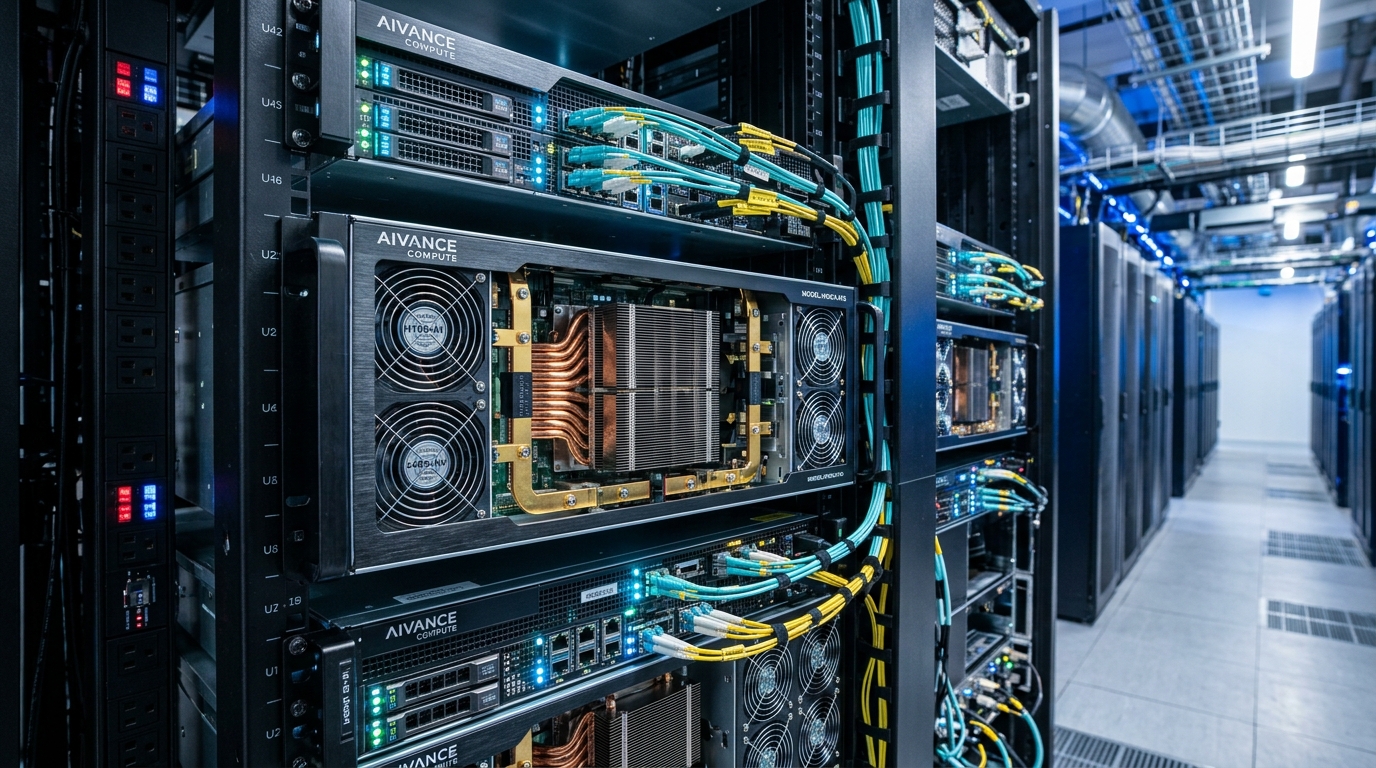
A GPU dedicated server suits applications that can divide large amounts of work across many processing cores. Common uses include AI inference, model training, 3D rendering, video processing, and scientific computing. It makes sense when the software supports GPU processing, the job fits the available memory, and regular use justifies the rental cost.
The GPU model is only part of the decision. CPU performance, storage speed, network capacity, software support, and billing terms can all affect the result.
Three Questions Before Renting: Before renting a server, answer three questions: Can the application use the GPU? Can the server complete the work within the required time? Is the total cost reasonable for that output?
What Is a GPU Dedicated Server?
A GPU dedicated server is a physical server assigned to one customer, with one or more graphics processing units installed. The customer typically controls the operating system and application software, subject to the hosting agreement.
The CPU handles general server tasks. The GPU processes supported work that benefits from many calculations running in parallel.
However, a dedicated GPU does not always mean a dedicated physical server. A virtual machine can have exclusive access to a GPU while sharing the host with other customers.
| Service type | What you receive | What to check |
|---|---|---|
| GPU dedicated server | Exclusive use of a physical server and its assigned GPUs | Hardware configuration, management scope, replacement terms |
| GPU virtual machine | A virtual server with an assigned GPU or GPU share | GPU allocation, CPU resources, host sharing |
| Managed AI endpoint | Access to a model through an API | Usage limits, model choices, data handling, request pricing |
Billing terms do not prove which service you are buying. A provider can rent bare metal by the hour or offer a GPU virtual machine on a monthly contract. Check the resource allocation directly.
Which Workloads Benefit From GPU Servers?
GPU servers are useful when the application has a supported GPU processing path. Installing a GPU does not make every program run faster.
| Workload | Why a GPU can help | Main buying question |
|---|---|---|
| AI inference | Processes model calculations | Does the model meet response targets at expected demand? |
| Model training | Runs repeated mathematical operations | Does the training job fit memory and finish on time? |
| 3D rendering | Calculates supported rendering tasks | Does the renderer support the GPU and scene? |
| Video processing | Uses hardware encoding and decoding | Are the required codecs and formats supported? |
| Scientific computing | Processes supported numerical calculations | Does the software support the GPU and required precision? |
| Remote graphics | Renders an interactive desktop or application | Are latency, display features, and licenses suitable? |
AI Inference
Inference means running a trained model to produce an answer, image, prediction, or other result.
A dedicated server can suit a service with steady demand, a fixed model, and a team that can manage deployment. Examples include document processing, image classification, speech recognition, and private language model services.
For language models, test more than output speed. Measure how long users wait for the first response, how performance changes with longer prompts, and how many requests the server can handle within the response target.
A model that works for one user may run out of memory under several active requests.
Model Training and Fine-Tuning
Training and inference have different memory needs.
Training can require space for model weights, gradients, optimizer data, and temporary calculations. Fine-tuning methods that update a smaller set of parameters can reduce some of these requirements.
Do not choose a training server from an inference result alone. Test the intended training method, sequence length, batch size, and checkpoint process.
A monthly server may suit repeated training runs. An occasional experiment may cost less on an hourly service that can be released after the job ends.
Rendering and Video Processing
For 3D rendering, confirm that the renderer supports the exact GPU and software version. Test a representative scene, including its textures and output settings.
Video processing needs a different check. Hardware encoding and decoding support varies by GPU. NVIDIA’s support matrix lists differences in codecs, formats, encoder hardware, and session limits. A card chosen for AI work should not be assumed to support every video task.
For a video workload, compare output quality as well as speed. A faster encode is not useful if it fails the required quality level.
Scientific and Engineering Applications
Some simulations, image analysis tools, and numerical applications support GPU processing. Others remain limited by CPU work or data movement.
Check the application’s hardware requirements before comparing GPU specifications. Support for the required numerical precision can matter more than a headline AI performance figure.
How Much GPU Memory Do You Need?
GPU memory, often called VRAM, stores data used during GPU processing. It is separate from the server’s system RAM.
For a language model, the space needed for weights provides a starting estimate:
For an illustrative model with eight billion parameters:
| Weight format | Approximate weight storage |
|---|---|
| 16-bit | 16 GB |
| 8-bit | 8 GB |
| 4-bit | 4 GB |
These figures use decimal gigabytes. They cover weights only. They exclude runtime memory, quantization metadata, temporary buffers, and other data.
Language model inference also uses a key-value cache, or KV cache, to reuse earlier calculations. Its memory use depends on the model, cache method, and request settings. Hugging Face documents cache options that trade memory use against processing speed.
This is why a model file smaller than the GPU’s memory does not prove that the full workload will fit.
Measure peak memory under realistic conditions. Include the longest expected inputs and the number of requests that will run at once.
Can System RAM Replace VRAM?
Some software can move parts of a workload to system RAM. This may let a job run that would otherwise exceed GPU memory.
However, data movement between system RAM and the GPU can reduce performance. Treat this as a configuration that needs testing, rather than an equal substitute for sufficient VRAM.
Do Two GPUs Double Available Memory?
Two 24 GB GPUs do not automatically behave like one 48 GB GPU.
The application must support splitting work or data across devices. Some methods keep a copy of the model on each GPU. Others divide the model but introduce communication between the cards.
Check the software method and the server’s connections between GPUs before ordering multiple cards.
How Much Does a GPU Dedicated Server Cost?
The price depends on the GPU, GPU count, host hardware, location, traffic allowance, support, and contract length.
Published offers show how prices change across configurations. For example, FireVM listed these monthly bare-metal options when checked on October 29, 2026:
| Listed configuration | GPU memory | Advertised monthly price |
|---|---|---|
| One NVIDIA T4 | 16 GB | $349 |
| One NVIDIA L4 | 24 GB | $449 |
| One NVIDIA L40S | 48 GB | $799 |
The provider listed 128 GB of system RAM, two 1 TB NVMe drives, a 1 Gbps uplink, and 30 TB of monthly transfer for its one-to-four-GPU server range. These are advertised configurations, not performance comparisons or confirmed checkout quotes.
Check current stock, taxes, setup charges, and contract terms before ordering. A larger memory capacity does not establish how much faster a server will complete your job.
Compare the Full Monthly Cost
A rental price may leave out costs that affect the decision:
- Extra storage and off-server backups.
- Data transfer above the included allowance.
- Software and remote desktop licenses.
- Managed support.
- Setup or migration work.
- Staff time for updates, monitoring, and recovery.
Also check the billing unit. A rate may apply to one GPU, one virtual machine, or an entire server.
An advertised hourly equivalent of a monthly plan does not necessarily mean hourly billing. You may still owe the full monthly amount.
When Does Monthly Rental Cost Less?
Use a simple calculation after confirming that both options deliver comparable performance.
Suppose a dedicated server costs $600 per month, while a comparable hourly configuration costs $1.50 per billed hour.
Under those assumptions, the rental charges are equal at 400 hours per month.
This is a calculation example, not a market quote. It excludes differences in storage, traffic, support, and job completion time.
A faster hourly server could finish the work in fewer hours. A monthly server could remain mostly idle. Compare the cost per completed job at the required quality, not just the advertised rate.
Dedicated GPU Server or Hourly GPU Cloud?
A dedicated server often fits steady workloads and teams that need control over the host. Hourly services can fit short projects, uncertain demand, or experiments with different GPU models.
| Requirement | Monthly dedicated server | Hourly GPU service |
|---|---|---|
| Regular work throughout the month | Fixed rental may suit sustained use | Compare total billed hours |
| Occasional jobs | Idle time still costs money | Can reduce compute cost if resources are released |
| Host control | Usually broad control | Depends on whether the service is a VM or bare metal |
| Adding capacity | May require another hardware order | Depends on quotas and available stock |
| Operations | Customer or managed provider handles the server | Responsibility varies by service |
| Interruptions | Hardware failure remains possible | Check whether the plan permits interruption |
Neither category removes the need for backups or recovery planning. A single dedicated server can still fail, and cloud capacity is not always available on demand.
What Limits GPU Server Performance?
A capable GPU can spend much of its time waiting for the rest of the system.
CPU and Storage
The CPU may need to prepare images, decode files, load training samples, or process requests before the GPU can work.
Slow storage can delay data loading and checkpoint writes. Too little system RAM can cause additional disk activity.
Test the complete pipeline. A GPU-only test may miss the part that limits production performance.
Network Capacity
Network speed matters when large datasets, media files, or checkpoints move between systems. Port speed and monthly transfer allowance are separate limits.
For example, moving 1 TB over a fully used 1 Gbps connection takes about 2.2 hours in theory. At 10 Gbps, the theoretical time is about 13.3 minutes. These calculations exclude protocol overhead, storage limits, and congestion.
Atal Networks’ explanation of server port speeds provides useful background on the difference between connection speed and monthly data allowance.
A faster public network port does not, by itself, solve communication limits between GPUs in a distributed training system.
Software Compatibility
Check the operating system, GPU driver, application version, and supported processing backend as a set.
Software built around NVIDIA CUDA cannot be assumed to run unchanged on an AMD GPU. Containers can package application dependencies, but they still depend on a compatible host driver.
Sustained Performance and Recovery
A short test does not show how the server behaves during a long job. Run tests long enough to check stable processing speed, temperatures, and power limits.
Ask who handles driver failures and hardware replacement. Save checkpoints and keep backups outside the server. A replacement GPU cannot recover work that was never saved.
How to Test a Server Before Committing
Use your own application and representative data wherever possible.
| Workload | Useful measurements |
|---|---|
| Language model inference | First-response time, output rate, active requests, peak memory |
| Training | Time per step, total job time, checkpoint time |
| Rendering | Time per frame at fixed scene and quality settings |
| Video encoding | Streams supported at a fixed codec, resolution, and quality |
| Scientific computing | Time to result and numerical accuracy |
Keep software versions, inputs, and quality settings consistent across candidates.
For a user-facing service, examine slower responses as well as averages. A good average can hide requests that take too long during busy periods.
Frequently Asked Questions
Usually, no. Compute workloads can run through remote command-line access or management software. Remote graphics applications may need separate display software and licenses.
Only if part of the website’s workload uses GPU processing. Ordinary page delivery and many database tasks depend more on CPU, memory, storage, and application design.
It depends on the model, weight format, input length, runtime, and request volume. Test the full workload. The model’s file size alone is not a reliable memory requirement.
Many multiplayer servers run game logic without rendering images and primarily use the CPU. Cloud gaming and remote rendering have different requirements because they must produce and transmit video.
Recommended Next Steps
Start with the application’s GPU support list. Estimate memory needs, then test a representative workload on a suitable configuration.
Request a quote that specifies the full server, billing terms, network limits, and support responsibilities. Compare the cost per completed task and include recovery costs.
A GPU dedicated server is a sound choice when supported software, sufficient memory, and regular demand produce useful work at an acceptable total cost.

Likhon leads infrastructure and technical architecture at A1 Technovation, advising enterprise teams on server sizing, compute pipelines, high-availability hosting, and performance optimization.
View full profileMore hosting and infrastructure guides
From bare metal compute clusters to routing architecture and global data delivery — build your systems on verified benchmarks.
Need Advice on GPU Server Architecture?
Whether you are deploying AI inference endpoints, fine-tuning language models, or scaling compute workloads, our team helps evaluate infrastructure hardware, networking, and total cost of ownership.
Talk to Our Infrastructure Team →