
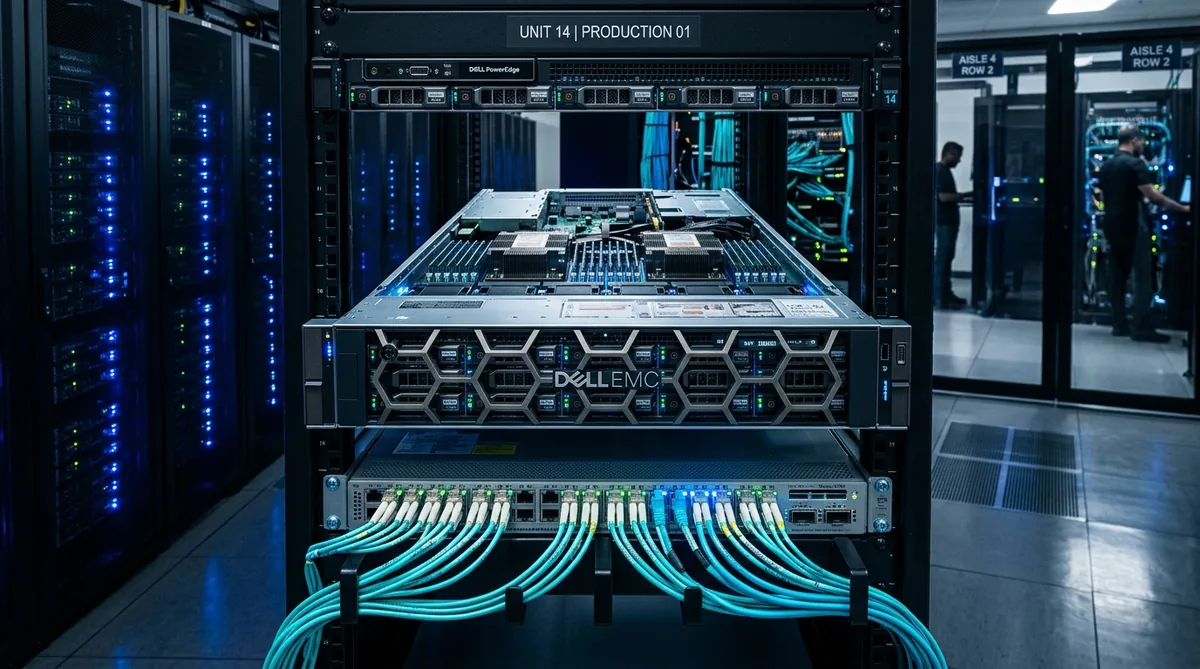
A 10Gbps dedicated server can cost a few hundred dollars per month, but the price depends on the hardware and network service included. Published unmetered examples reviewed for this guide include packages at $499, $596, and $690 per month. These are individual offers, not a market-wide price range.
Atal Networks, for example, lists its ATAL10G package at $690 per month, with 64GB RAM, 1TB SSD storage, five IPv4 addresses, and 10Gbps unmetered bandwidth. A traffic-capped server may cost less upfront, while management, licenses, additional IPs, and setup charges can increase the final bill.
The useful question is the complete cost of a server that meets your requirements. We can calculate that by separating the base package, network charges, and optional services.
Published 10Gbps Dedicated Server Prices
The following examples provide starting points for a budget. They do not represent identical hardware or service agreements.
| Published package | Monthly price | Hardware | Network package | Other listed details |
|---|---|---|---|---|
|
Atal Networks ATAL10G Visit Atal Networks |
$690 | 64GB RAM, 1TB SSD; exact processor selection requires confirmation | 10Gbps unmetered | Five IPv4 addresses, root access, KVM |
|
GigeNET entry package Visit GigeNET • Guide profile |
$499 | Dual Xeon E5-2670 v2, 64GB RAM, two 1TB SSDs | 10Gbps unmetered | Four usable IP addresses |
|
InterServer Ryzen 5600X listing Visit InterServer • Guide profile |
$596 | Ryzen 5600X, 64GB RAM, two 2TB SSDs | 10Gbps unmetered | Listing specifies a VLAN/IP allocation |
Setup charges, taxes, management, and final availability require confirmation for the selected order.
The hardware differences matter. Two servers with 64GB RAM can use different processor generations, storage layouts, and network agreements. Their monthly prices alone cannot tell us which will perform better for a particular application.
Starting Prices and Add-Ons Need Separate Treatment
Some advertised prices describe a category of servers rather than a complete selected configuration. Others cover only the bandwidth option.
For example:
- Sharktech advertises configurations from $219 per month with 10Gbps connectivity, 300TB of monthly traffic, and 2TB NVMe starting storage. The selected CPU and RAM still need checking. (See Sharktech USA profile)
- SERVER.NET lists a $33 monthly traffic option added to the server price, with 100TB of transfer, burst capacity up to 10Gbps, and $2 per additional TB.
The $33 option is not a complete server rental. The $219 starting offer is not an unmetered package. Keeping these distinctions visible prevents a misleading price comparison.
Separate the Server Price From the Network Price
A provider may bundle everything into one price or charge for hardware and networking separately. We should identify what each line includes before adding up the quote.
Hardware and Hosting
The base rental commonly covers the physical processor, memory, storage, and supporting hosting services. It may also include remote access, IP addresses, and a default network package.
Hardware choices affect the price:
- Processor model, generation, and socket count.
- Memory capacity and type.
- Drive type, number, and capacity.
- RAID configuration and usable storage.
- Specialized components such as GPUs.
Compare the workload requirements before comparing core counts. A newer processor with fewer cores may suit an application better than an older dual-socket server.
Storage also needs careful treatment. Two 1TB drives do not necessarily provide 2TB of usable space. A mirrored configuration uses one drive’s capacity to maintain a second copy.
Public Port and Bandwidth Commitment
A 10Gbps port describes the connection’s nominal capacity. The purchased bandwidth commitment describes the service the provider agrees to supply.
A plan can include a 10Gbps port while guaranteeing a lower rate. It may permit bursts above that commitment under defined conditions.
Request these details separately:
| Network detail | Information needed |
|---|---|
| Public port | Connection speed available for internet traffic |
| Guaranteed rate | Bandwidth covered by the service agreement |
| Burst capacity | Permitted rate above the commitment |
| Connection terms | Dedicated or shared capacity conditions |
| Private network | Separate capacity for internal traffic |
A fast private connection or regional exchange connection does not establish the same capacity for general internet traffic.
Monthly Transfer
Transfer describes the amount of data moved during the billing period, usually measured in GB or TB.
Confirm whether the provider counts:
- Outbound traffic only.
- Inbound and outbound traffic together.
- The greater of the two directions.
- Usage across a shared allowance.
Also check whether backup, private-network, or other service traffic uses the same allowance.
Compare the Three Main Bandwidth Billing Models
1 Metered Transfer
A metered plan includes a defined allowance and may charge for additional data.
For example, a package might include 100TB per month and charge $2 for each extra TB. At 150TB of billable usage, the excess charge would be:
50TB × $2 = $100
The actual result depends on the provider’s accounting, rounding, and billing rules. Some services reduce the connection rate or require an upgrade instead of charging automatic overage.
Metered plans can suit workloads with short bursts and moderate total transfer.
2 Unmetered Bandwidth
An unmetered package does not bill against a fixed monthly TB allowance under its stated terms. The connection rate, purchased commitment, and usage policy still apply.
This model can make spending easier to plan for sustained file delivery, streaming, or other transfer-heavy services.
It does not promise infinite speed or line-rate application performance. Storage, processor load, routing, and the receiving system can still limit throughput.
3 95th-Percentile Billing
A 95th-percentile plan calculates a billable bandwidth value from samples collected during the billing period. Under a common method, the provider removes the highest 5% of samples and uses the next highest value.
The contract determines the sampling interval, traffic direction, minimum commitment, and excess rate.
Monthly transfer alone cannot predict this bill. Two services can move the same number of terabytes but produce different sampled rates because their traffic arrives at different times.
| Billing model | Main cost driver | Best comparison input |
|---|---|---|
| Metered | Billable transfer above an allowance | Monthly GB or TB |
| Unmetered | Purchased package and service terms | Sustained and peak requirements |
| 95th percentile | Sampled bandwidth under the contract | A representative traffic time series |
Account for Licenses, IPs, and Management
A low base price may exclude services required to operate the application.
IP Addresses
Check the number of usable IPv4 addresses included. A subnet’s total address count does not always equal the number available for applications.
Ask about additional-address fees, allocation conditions, and any routing charges. Confirm IPv6 availability and the included allocation separately.
Do not assume that a provider’s standalone IP-leasing price applies to addresses attached to a rented server.
Operating Systems and Control Panels
A commercial operating system or control panel may add recurring charges. The cost can depend on the edition, licensing basis, account tier, or server type.
Request the exact license needed for the deployment. A license intended for a virtual server may differ from one intended for physical hardware.
Even when the operating system has no license fee, paid support or management may remain separate.
Server Management
24×7 support does not automatically include full server management.
Hardware support, operating-system updates, firewall changes, application troubleshooting, and backup administration are different tasks.
An itemized management quote should define:
- Tasks the provider performs.
- Monitoring and response coverage.
- Supported operating systems and applications.
- Included administration time.
- Charges for work outside the service scope.
Include internal staff time in the operating budget if your team will manage the server.
Check the Remaining Fees
| Cost item | Detail to confirm |
|---|---|
| Setup | Standard installation, custom-build, and provisioning charges |
| Backups | Storage, retention, restores, and transfer charges |
| DDoS protection | Included coverage, optional services, and traffic treatment |
| Storage upgrades | Drive price, RAID options, and replacement coverage |
| Migration | Labor, data transfer, and overlapping server rentals |
| Renewal | Price after an introductory period |
| Contract | Minimum term, cancellation notice, and early-exit conditions |
| Taxes and payment | Applicable taxes, billing currency, and payment charges |
A missing charge on a product page is not proof that the service is free. Mark it as unconfirmed until the quote resolves it.
Calculate the Full Monthly Cost
Use this formula:
Monthly cost = base package + separate network fees + transfer overage + IPs + licenses + management + backups
Count each service once. If the base package already includes the network service or IP allocation, do not add it again.
For annual planning:
First-year cost = one-time fees + recurring charges for months 1–12 + usage charges + applicable taxes
A promotional first month should not become the assumed rate for the whole year. Apply the renewal price from the month it takes effect.
For hourly bare metal, multiply the hourly rate by the planned billable hours. Then check minimum commitments, monthly caps, and charges that continue while the system is stopped. Powering off a server may not end the rental.
Compare Metered and Unmetered Costs With One Workload
The clearest comparison holds the hardware and service requirements constant.
The following example uses hypothetical prices, not provider quotes. Both plans assume the same hardware, deployment region, support, IP allocation, and usable network capability.
| Assumption | Metered example | Unmetered example |
|---|---|---|
| Monthly package | $250 | $650 |
| Included outbound transfer | 100TB | No monthly TB allowance |
| Overage | $2/TB | None under the example terms |
| Public port | 10Gbps | 10Gbps |
| One-time setup | $50 | $50 |
Compare Monthly Spending
| Monthly outbound transfer | Metered cost | Unmetered cost |
|---|---|---|
| 80TB | $250 | $650 |
| 200TB | $450 | $650 |
| 300TB (Break-Even) | $650 | $650 |
| 500TB | $1,050 | $650 |
The two plans reach the same monthly cost at 300TB:
100TB + (($650 − $250) ÷ $2) = 300TB
Below that point, the metered example costs less. Above it, the unmetered example costs less.
This calculation compares rental and transfer charges only. Taxes and other optional services are excluded.
Test the Overage Rate
Changing one input can change the decision.
| Overage rate | Transfer at equal monthly cost |
|---|---|
| $1/TB | 500TB |
| $2/TB | 300TB |
| $4/TB | 200TB |
That is why the excess-transfer rate belongs in the first comparison, not at the end of the purchasing process.
Budget for Busy Months
A costly month does not automatically make unmetered hosting the cheaper annual option.
Using the same hypothetical plans, assume:
- Ten months at 80TB.
- Two months at 500TB.
- One $50 setup charge.
Metered First-Year Cost
10 normal months + 2 peak spike months
(10 × $250) + (2 × $1,050) + $50 = $4,650
Total: $4,650
Unmetered First-Year Cost
12 flat rate unmetered months
12 × $650 + $50 = $7,850
Total: $7,850
The metered example costs $3,200 less over the year, even though its two busy months cost more.
Unmetered service may still offer budget certainty or other suitable terms. The decision should account for expected annual usage, the risk of unexpected traffic, and equivalent network commitments.
Use a normal month, a busy month, and a plausible high-usage month in the budget.
Estimate Transfer From Bandwidth Use
Port speed and monthly transfer use different units.
- Gbps measures data rate in gigabits per second.
- GB and TB measure data amounts.
- Eight bits equal one byte.
At the theoretical rate:
10Gbps ÷ 8 = 1.25GB per second
| Usage pattern | Theoretical transfer |
|---|---|
| 10Gbps for one hour | 4.5TB |
| 10Gbps for one hour daily over 30 days | 135TB |
| 10Gbps continuously for 30 days | 3.24PB |
| 100TB spread across 30 days | About 309Mbps average |
These figures use decimal units, cover one direction, and exclude protocol overhead.
A workload can average about 309Mbps across a month yet need a much faster port during short transfer windows. The average helps estimate usage; the peak helps size the connection.
Full duplex also does not mean a single download runs at 20Gbps. A 10Gbps full-duplex connection supports sending and receiving at the link rate in each direction, subject to the service and path.
Spend on the Resource That Limits the Workload
A larger network package helps only when the application can use it.
- File hosting and downloads: check sustained storage reads, cache behavior, and concurrent requests. Include enough usable capacity for the content library.
- Backups: compare the source read rate, destination write rate, compression load, and permitted transfer window.
- Streaming: separate delivery from encoding. Serving stored video and converting live video can require very different processors.
- Virtualization: account for combined guest traffic, memory demand, and storage I/O.
- SaaS and APIs: check database response time and CPU use before attributing slow requests to bandwidth.
A suitable processor, enough RAM, and the right storage layout can matter more than a larger advertised port.
Account for Deployment Region
This pricing method applies globally, but a provider may quote different prices for different deployments.
Hardware availability, network service, delivery terms, billing currency, and applicable taxes can change the total. The cheapest deployment also may not meet the application’s latency or operating requirements.
Request the same configuration in each suitable region. Keep the original currency visible, or state the date and rate used for any conversion.
Do not assume that one published price applies to all locations listed on a provider’s website.
Use Atal Networks as a Published Package Reference
The Atal Networks 10Gbps dedicated server package provides a concrete reference for an unmetered quote. Its published ATAL10G offer lists:
| Item | Published detail |
|---|---|
| Monthly package | $690 |
| Memory | 64GB RAM |
| Storage | 1TB SSD |
| Network | 10Gbps unmetered |
| IPv4 addresses | Five |
| Access | Root access and KVM |
Confirm the exact processor, deployment availability, setup fee, bandwidth commitment, and management scope before comparing the final offer.
If the $690 base price stayed unchanged for 12 months, the base rental would total $8,280. That is a rental subtotal, not an all-inclusive annual quote. Add any applicable fees, optional services, and taxes.
Send the provider your expected monthly transfer and sustained bandwidth requirement as well as the hardware specification. That makes the resulting quote more useful.
Frequently Asked Questions
Sometimes. Providers may bundle the server and network package or charge for them separately. Check the public port, guaranteed rate, included transfer, and excess charges. A network add-on price should never be treated as the complete server rental.
No. Metered hosting can cost less when usage stays within the allowance or exceeds it only occasionally. Compare normal and busy months across a full year. Unmetered becomes more attractive when sustained transfer or overage costs justify the higher fixed charge.
Yes. A plan may provide a 10Gbps port with a lower committed rate and permission to burst above it. Ask for the written bandwidth commitment. A port specification alone does not establish sustained 10Gbps service.
Not necessarily. Support availability may cover hardware and network incidents while leaving software updates, security configuration, backups, and applications to the customer. Request a written list of included management tasks and charges for additional work.
That depends on the offer. Some prices exclude setup, taxes, or optional configuration charges. Check the order summary and itemized quote. Keep one-time fees separate from recurring charges when calculating first-year cost.
It may, if peak demand and transfer windows fit within the lower rate. Measure the workload before buying a faster connection. A service with modest peaks may gain little from 10Gbps, while a short backup window may justify the extra capacity.
Recommended Next Steps
Measure normal traffic, peak demand, and busy-month transfer. Then request quotes with matching hardware, public bandwidth commitments, support scope, and contract terms.
Compare the first month, a busy month, and the full first year. Resolve unknown fees before ordering.