
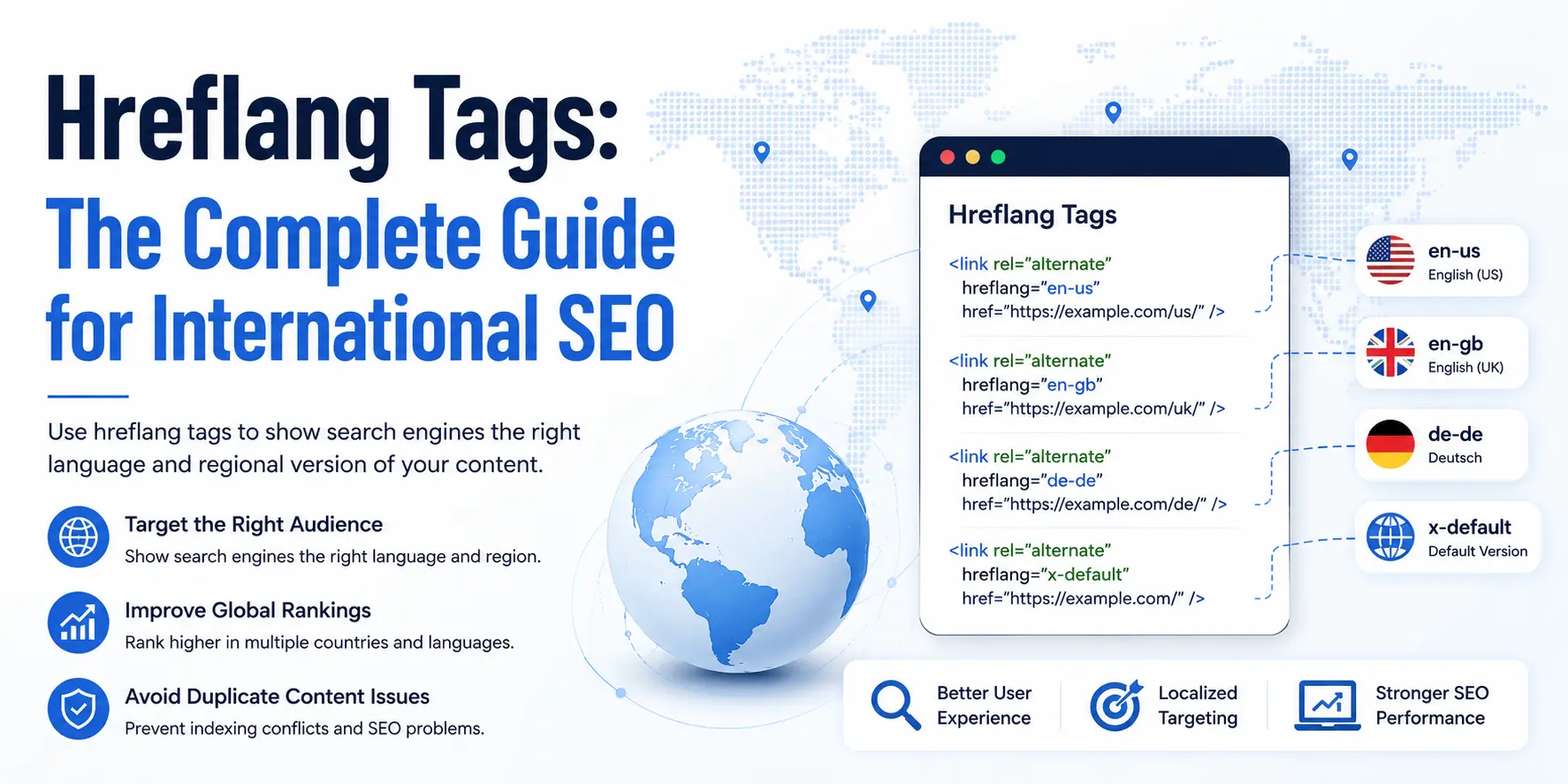
Hreflang tags are HTML attributes that tell search engines which language and regional version of a page to show to specific users. They prevent duplicate content issues across multilingual sites, consolidate ranking signals between localized pages, and ensure the right audience sees the right version in search results.
Get them right and Google delivers your French page to users in Paris, your English US page to users in Boston, and your English UK page to users in London. Get them wrong and one version cannibalizes the others, or Google ignores the whole cluster and picks whichever version it finds first.
We work with multilingual sites across the US, UAE, and Middle East. Time after time, the same patterns show up: sites that translated their content perfectly, then lost months of rankings because one ISO code was wrong, or reciprocal tags were missing. This guide covers everything: syntax, implementation, common errors, audit process, and how to connect hreflang to your AI search strategy.
Hreflang Tags: The Core Definition
An hreflang tag is a <link> element placed in the <head> section of a webpage. Google introduced it in December 2011 specifically to solve the multi-language, multi-region problem that international websites create at scale.
The tag has three components working together:
rel="alternate": signals that an alternate version of this page existshreflang="language-region": specifies the language, and optionally the region, that the alternate targetshref="https://full-url": the absolute URL of that alternate version
The Anatomy of an Hreflang Tag
Here is a basic example for a page with US English, UK English, and a global fallback:
<link rel="alternate" hreflang="en-US" href="https://example.com/us/page/" />
<link rel="alternate" hreflang="en-GB" href="https://example.com/uk/page/" />
<link rel="alternate" hreflang="x-default" href="https://example.com/page/" />
Every version of the page (the US page, the UK page, and the default page) must carry all three of these tags. That is the foundation of a valid hreflang cluster.
The Three-Part Structure of Every Hreflang Tag
Each tag declares three facts simultaneously: a relationship type (alternate), a targeting scope (language-region), and a destination (absolute URL). Remove any one of these and the tag either breaks silently or gets ignored by Google's crawler.
The hreflang attribute value follows the format language or language-REGION. Language codes use ISO 639-1 (lowercase, two letters). Region codes use ISO 3166-1 Alpha-2 (uppercase, two letters). Together they look like en-US, fr-CA, or de-DE.
You can use language-only codes (hreflang="en") when you are targeting all speakers of a language regardless of country. You use language-plus-region codes (hreflang="en-US") when you serve users in a specific country and need to differentiate from speakers of the same language elsewhere.
Language Codes vs. Regional Codes: The Difference Explained
| Format | Example | Meaning |
|---|---|---|
| Language only | hreflang="en" |
All English speakers, no country restriction |
| Language + Region | hreflang="en-US" |
English speakers in the United States |
| Language + Region | hreflang="en-GB" |
English speakers in the United Kingdom |
| Language + Region | hreflang="fr-CA" |
French speakers in Canada |
| Language + Region | hreflang="zh-TW" |
Chinese (Traditional) speakers in Taiwan |
| Fallback | hreflang="x-default" |
Users who match no other specified version |
One critical note: en-UK is not a valid code. The correct code for United Kingdom is en-GB. Google will silently ignore en-UK, and your UK-targeted pages will get no hreflang signal at all.
Hreflang vs. Canonical Tags: Two Different Jobs
These two HTML attributes confuse a lot of SEOs because they both deal with page relationships. They work differently and serve different purposes.
| Signal | Purpose | Result |
|---|---|---|
rel="canonical" |
Tells Google which page is the primary version when duplicates exist | Consolidates all signals to one "master" URL |
hreflang |
Tells Google these are valid alternate versions for different audiences | All versions remain indexable; each gets shown to its target audience |
| Conflict risk | Canonical pointing to a different language version | Google ignores hreflang; wrong version ranks everywhere |
On every page in a multilingual site, both attributes do their jobs at the same time. The canonical tag points to the page itself (self-referencing canonical). The hreflang tags point to all alternate versions including itself. These two work together, not against each other.
Do You Actually Need Hreflang Tags?
Not every website needs hreflang. Using hreflang on a site that does not require it adds complexity with no benefit. Using it incorrectly on a site that does need it is worse than not using it at all.
Sites That Must Use Hreflang
Your site needs hreflang if any of the following are true:
- Your site serves content in more than one language (e.g., English and Spanish versions)
- Your site serves the same language to users in multiple countries with region-specific differences (e.g., US English and UK English with different pricing, spelling, or offers)
- You have a language/country selector page that routes users to the right version
- You run an e-commerce store with localized product pages for different markets
Sites That Do NOT Need Hreflang
- Single-language, single-country sites. Adding hreflang creates zero benefit and small cleanup risk
- Sites with one language that have not localized content for different regions (a US-only site in English does not need hreflang just because some UK visitors find it)
- Sites that rely entirely on ccTLDs with fully separate content (.de for Germany, .fr for France) and no shared URLs between them, though hreflang still helps in this scenario
Multi-Regional Same-Language Sites: The en-US vs en-GB Case
This is the scenario that catches the most sites off guard. A UK company and a US company both publish English content. Their pages look nearly identical in terms of keyword use. Without hreflang, Google picks one version to show in both markets, and the other loses visibility.
If your content differs across English-speaking regions (different pricing, different spellings, different offers, different measurement units) use hreflang="en-US" and hreflang="en-GB" to separate them. If the content is truly identical, use a single English version with a self-referencing canonical and skip the hreflang.
How Google Processes Hreflang: The Full Decision Chain
Most guides explain what hreflang is. Few explain what Google actually does with it after it crawls your pages. This is the decision chain that runs behind the scenes.
How Google Processes Hreflang Clusters
Step 1: Crawl and Cluster Discovery
Googlebot crawls your page and reads the <head> section. It finds your hreflang annotations and builds a picture of the cluster, a group of pages that are alternate versions of the same content. For the cluster to be recognized, every page Google crawls must carry the full set of annotations for that cluster.
Step 2: Reciprocity Validation
Google checks whether the relationship is confirmed from both sides. If Page A declares Page B as an alternate, Page B must declare Page A as an alternate. If Page B does not, Google treats the cluster as broken and may ignore all hreflang annotations in it. This is the single most common hreflang error and the one with the largest ranking impact.
Step 3: Ranking Signal Consolidation
Pages within a confirmed hreflang cluster share ranking signals. Google's Gary Illyes confirmed this: the strongest-authority page in the cluster determines the ranking position for queries that appear across multiple language versions of the same content. A new German page that is hreflang-linked to a strong English page benefits from that English page's accumulated authority during its early months. This is one of the most underused benefits of a correctly built hreflang architecture.
Step 4: SERP Swap to the Most Relevant Version
The ranking position comes from the strongest page in the cluster, but the displayed result gets swapped. A user searching from Munich sees the German version in their results, even if the English page technically holds the ranking position. This swap only works if the hreflang cluster is valid. Broken clusters show the wrong version to the wrong audience.
Choosing Your URL Structure Before You Implement Hreflang
The URL structure decision happens before implementation, not after. It determines where authority lives, how strong your geotargeting signal is, and how much maintenance burden your team takes on as the site grows.
| Structure | Geotargeting Strength | Authority Consolidation | Maintenance Cost | Best For |
|---|---|---|---|---|
ccTLD (.de, .fr, .jp) |
Strongest | Lowest — authority splits across domains | High — separate properties, separate GSC | Large enterprises with established brand trust per market |
Subdomain (de.example.com) |
Medium | Medium — some authority isolation | Medium — separate GSC properties, separate crawl | Tech platforms with separate CMS stacks per region |
Subdirectory (/de/, /fr/) |
Medium | Highest — all link equity stays on one domain | Low — one GSC property, one sitemap split | Most SMBs and mid-market sites entering international SEO |
ccTLDs: Strongest Geotargeting Signal, Highest Authority Cost
Country-code top-level domains send the strongest geotargeting signal Google reads. A .de domain is clearly German. A .fr domain is clearly French. But authority does not transfer between ccTLDs. Your .com domain with years of backlinks shares none of that equity with a new .de. You start from zero in each market.
ccTLDs make sense if you already have separate brand presences in each market, separate teams managing each domain, or enterprise budgets to build separate authority from scratch.
Subdirectories: Recommended for Most Sites
A subdirectory structure (/de/, /fr/) keeps all authority on one domain. Every backlink to any page on the domain benefits every other page. Hreflang on a subdirectory structure is simpler to implement, maintain, and audit. One GSC property covers all language versions, though you should configure individual country targets per language subdirectory in GSC settings.
For most businesses growing into international markets, subdirectory is the right starting point.
Hreflang Syntax: Exact Code You Need

HTML Head Implementation
This is the most common method and the right choice for most websites. Every page in the hreflang cluster carries the same set of <link> tags in its <head> section.
Example for a site with three language versions (US English, UK English, and French for France):
<!-- On the /en-us/ page -->
<head>
  <link rel="canonical" href="https://example.com/en-us/page/" />
  <link rel="alternate" hreflang="en-US" href="https://example.com/en-us/page/" />
  <link rel="alternate" hreflang="en-GB" href="https://example.com/en-gb/page/" />
  <link rel="alternate" hreflang="fr-FR" href="https://example.com/fr/page/" />
  <link rel="alternate" hreflang="x-default" href="https://example.com/page/" />
</head>
The same set of four <link> tags appears on the /en-gb/page/, the /fr/page/, and the default /page/. Every page references every other page, including itself.
Key rules:
- All URLs must be absolute (include
https://) - The canonical tag points to the page itself (self-referential)
- Every language version carries the full cluster annotation set
x-defaultpoints to the fallback/selector page
XML Sitemap Implementation
XML sitemap implementation is the cleaner choice for large sites with hundreds or thousands of pages. It moves hreflang annotations out of individual <head> sections and into one centralized file, reducing HTML bloat and simplifying updates.
<?xml version="1.0" encoding="UTF-8"?>
<urlset xmlns="http://www.sitemaps.org/schemas/sitemap/0.9"
        xmlns:xhtml="http://www.w3.org/1999/xhtml">
  <!-- US English version -->
  <url>
    <loc>https://example.com/en-us/page/</loc>
    <xhtml:link rel="alternate" hreflang="en-US" href="https://example.com/en-us/page/"/>
    <xhtml:link rel="alternate" hreflang="en-GB" href="https://example.com/en-gb/page/"/>
    <xhtml:link rel="alternate" hreflang="fr-FR" href="https://example.com/fr/page/"/>
    <xhtml:link rel="alternate" hreflang="x-default" href="https://example.com/page/"/>
  </url>

  <!-- UK English version -->
  <url>
    <loc>https://example.com/en-gb/page/</loc>
    <xhtml:link rel="alternate" hreflang="en-US" href="https://example.com/en-us/page/"/>
    <xhtml:link rel="alternate" hreflang="en-GB" href="https://example.com/en-gb/page/"/>
    <xhtml:link rel="alternate" hreflang="fr-FR" href="https://example.com/fr/page/"/>
    <xhtml:link rel="alternate" hreflang="x-default" href="https://example.com/page/"/>
  </url>

  <!-- French version -->
  <url>
    <loc>https://example.com/fr/page/</loc>
    <xhtml:link rel="alternate" hreflang="en-US" href="https://example.com/en-us/page/"/>
    <xhtml:link rel="alternate" hreflang="en-GB" href="https://example.com/en-gb/page/"/>
    <xhtml:link rel="alternate" hreflang="fr-FR" href="https://example.com/fr/page/"/>
    <xhtml:link rel="alternate" hreflang="x-default" href="https://example.com/page/"/>
  </url>
</urlset>
Every page entry in the sitemap carries the full cluster, including a reference to itself and to x-default. This mirrors the HTML head requirement exactly.
HTTP Header Implementation: For Non-HTML Files
PDFs, images, and other non-HTML files cannot carry a <head> section. For these, hreflang goes in the HTTP response header:
Link: <https://example.com/en-us/document.pdf>; rel="alternate"; hreflang="en-US",
      <https://example.com/en-gb/document.pdf>; rel="alternate"; hreflang="en-GB"
This method requires server configuration and is uncommon for standard web pages. Use it only when HTML implementation is not possible.
Choosing Between HTML Tags and XML Sitemap
| Consideration | HTML Head | XML Sitemap |
|---|---|---|
| Site size | Small to medium (under 500 pages per language) | Large sites (500+ pages per language) |
| Update process | Update every page individually | Update one file |
| Crawl discovery | Tags found when page is crawled | Tags found when sitemap is crawled |
| Risk of sync issues | Low — tags live with the page | Medium — sitemap can drift from live pages |
| CMS compatibility | Works with any CMS using a plugin or template edit | Works with any CMS with sitemap access |
For most WordPress sites, HTML head implementation via Yoast SEO or Rank Math handles hreflang automatically once pages are assigned language/region settings. For large e-commerce platforms with thousands of product pages, sitemap implementation reduces maintenance load significantly.
The x-default Tag: Setup, Use Cases, and Common Misuse
The x-default Fallback Model
The One Purpose of x-default
The hreflang="x-default" value specifies the fallback page for users whose language or location does not match any explicitly targeted version. It tells Google: "If no other version fits this user, send them here."
A global company targeting US English, UK English, and French (France) has no version for users in Brazil, Japan, or South Korea. The x-default page is where those users land.
Where x-default Belongs (and Where It Does Not)
x-default belongs on:
- A global homepage with a language/country selector
- The primary English version of a site when no region-specific version exists for the user's country
- A single fallback URL that works for any unspecified audience
x-default does NOT belong on:
- Every page in the site
- Multiple pages at the same time
- A region-specific page (your
/en-US/page should not also carryhreflang="x-default")
The x-default Mistake That Breaks Clusters
The most common x-default error is applying it to every language version simultaneously. Teams see it as "safe" to add it everywhere. It is not. Google expects exactly one x-default per cluster, pointing to one URL. If multiple pages in a cluster each claim x-default, Google gets conflicting signals and may ignore the entire set.
Correct x-default pattern:
<!-- On the US page: -->
<link rel="alternate" hreflang="en-US" href="https://example.com/us/" />
<link rel="alternate" hreflang="x-default" href="https://example.com/" />

<!-- On the DE page: -->
<link rel="alternate" hreflang="de-DE" href="https://example.com/de/" />
<link rel="alternate" hreflang="x-default" href="https://example.com/" />

<!-- x-default always points to the same global fallback URL — never to the page itself -->
ISO Language and Region Codes: The Exact Formats Google Accepts
Google accepts ISO 639-1 for language codes and ISO 3166-1 Alpha-2 for region codes. These are strict. A single wrong character means the tag gets ignored without any error message in Google Search Console.
Most-Used Code Reference Table
| Language | Region | Hreflang Code |
|---|---|---|
| English | United States | en-US |
| English | United Kingdom | en-GB |
| English | Australia | en-AU |
| English | Canada | en-CA |
| English | Ireland | en-IE |
| English | (all English speakers) | en |
| Spanish | Spain | es-ES |
| Spanish | Mexico | es-MX |
| Spanish | (all Spanish speakers) | es |
| French | France | fr-FR |
| French | Canada | fr-CA |
| German | Germany | de-DE |
| German | Austria | de-AT |
| Portuguese | Brazil | pt-BR |
| Portuguese | Portugal | pt-PT |
| Arabic | Saudi Arabia | ar-SA |
| Arabic | UAE | ar-AE |
| Arabic | (all Arabic speakers) | ar |
| Chinese | China (Simplified) | zh-CN |
| Chinese | Taiwan (Traditional) | zh-TW |
| Japanese | Japan | ja-JP |
| Korean | South Korea | ko-KR |
| Dutch | Netherlands | nl-NL |
| Italian | Italy | it-IT |
Common Code Errors to Avoid
| Wrong Code | Correct Code | Why It Fails |
|---|---|---|
| en-UK | en-GB | UK is not a valid ISO 3166-1 code — Great Britain (GB) is |
| en-EU | Use specific country codes | EU is not a country code |
| ZH (uppercase) | zh | Language codes must be lowercase |
| us-EN | en-US | Language comes first, then region |
| en_US (underscore) | en-US | Only hyphens are valid separators |
The 9 Most Common Hreflang Errors (and How to Fix Each One)
An Ahrefs study across 374,756 domains found that 67% of hreflang implementations contain errors. A single error in a hreflang cluster causes Google to ignore the entire cluster, not just the broken tag. Here are the nine errors we find most often in audits, and exactly how to fix them.
Error 1: Missing Return Tags (Reciprocity Failure)
Root cause: Page A declares Page B as an alternate, but Page B does not declare Page A.
Impact: Google cannot confirm the relationship from both sides. It ignores the hreflang cluster for the affected pages.
Fix: Every page in a cluster must reference all other pages in that cluster, including itself. If you add a new language version, you must update every existing page in the cluster to include it.
Error 2: Missing Self-Referencing Tags
Root cause: A page declares its alternate versions but does not include a tag pointing to itself.
Impact: Google may not process the cluster correctly. Self-referencing tags disambiguate which page carries which targeting.
Fix: Add a self-referencing hreflang tag on every page. On the en-US page, the hreflang="en-US" tag pointing to itself must be present.
Error 3: Incorrect ISO Language or Region Codes
Root cause: Developers type codes from memory rather than from the ISO standards list.
Impact: Google reads the tag but finds no matching code. It discards the annotation silently. No error appears in GSC.
Fix: Use only codes from the ISO 639-1 (language) and ISO 3166-1 Alpha-2 (region) standards.
Error 4: Relative URLs Instead of Absolute URLs
Root cause: Developers write /en-us/page/ instead of https://example.com/en-us/page/.
Impact: Relative URLs are ambiguous. Google's crawler may fail to resolve them and ignore the tag.
Fix: All href values in hreflang tags must include the full URL with protocol.
Error 5: Broken URLs, 404s, and Redirects in Attributes
Root cause: A page referenced in a hreflang tag is deleted, moved, or redirected.
Impact: Google finds a URL that does not return a 200 status. The cluster breaks at that node.
Fix: All URLs in hreflang attributes must return 200 status codes. Run a Screaming Frog crawl filtered to your hreflang attributes and check status codes quarterly.
Error 6: Canonical Tag Conflicts
Root cause: The canonical tag on a localized page points to a different language version.
Impact: Google follows the canonical, not the hreflang. It indexes only the canonical URL. The hreflang tags are ignored.
Fix: Every page in a hreflang cluster must have a self-referencing canonical tag, pointing to its own URL.
Error 7: Hreflang on noindex or blocked Pages
Root cause: A page is blocked from indexing but still included in a hreflang cluster.
Impact: Google cannot verify the blocked page, so it cannot confirm the cluster relationship.
Fix: Never include noindex or robots.txt-blocked pages in hreflang clusters.
Error 8: Misusing x-default (Applying It to Every Page)
Root cause: Teams assume adding x-default everywhere is a "safe default." It is not.
Impact: Conflicting x-default signals confuse Google about which page is the true fallback.
Fix: Use hreflang="x-default" on exactly one URL per cluster.
Error 9: Hreflang and Sitemap Out of Sync
Root cause: A developer updates page URLs but not the sitemap hreflang entries.
Impact: Google's crawl of the sitemap finds different data than its crawl of the live pages.
Fix: Add hreflang updates to your CMS deployment checklist.
How to Audit Your Hreflang Implementation

Manual Check: Reading the HTML Head
For spot-checking individual pages, right-click and select "View Page Source." Use Ctrl+F to search for hreflang. Confirm:
- A self-referencing tag exists and points to the correct URL
- All alternate versions are listed with correct ISO codes
- All
hrefvalues are absolute URLs - A canonical tag exists and points to the page itself (not to another version)
Google Search Console: International Targeting Report
GSC's International Targeting report (Search Console > Legacy Tools > International Targeting) shows how Google interprets your hreflang configuration. Check it 2–4 weeks after implementation. The report shows both language targeting and country targeting status, plus flagged errors where Google could not confirm cluster relationships.
Key actions in GSC:
- For subdirectory international sites, create a separate GSC property for each language subdirectory and configure country targeting per property
- Watch for "Unsupported language" and "Return tag missing" error types
- A clean GSC report does not guarantee perfect implementation. It confirms the tags Google could read, not necessarily all tags
Tool-Based Audit Options
| Tool | Free / Paid | Best For |
|---|---|---|
| Screaming Frog SEO Spider | Freemium (500 URLs free) | Full-site hreflang crawl and reciprocity validation |
| Ahrefs Site Audit | Paid | Error detection with prioritization and fix guidance |
| Semrush Site Audit | Freemium | hreflang issue detection with code-level fix suggestions |
| Merkle hreflang Testing Tool | Free | Quick single-page validation |
| Aleyda Solis' Hreflang Generator | Free | Tag generation before implementation |
| Google Search Console | Free | Post-launch cluster interpretation and country targeting |
Run Screaming Frog with the "Hreflang" tab active after every major site change. Filter to "Missing Return Tags" and "Incorrect Language Codes". Those two categories cover the majority of breakage.
Hreflang and Content Localization: The Part Most Sites Get Wrong
Correct hreflang implementation is only as valuable as the content behind it. Two pages pointing at each other with perfect hreflang syntax will underperform if one of those pages is a machine translation of the other.
Translation Is Not Localization
Translation converts words from one language to another. Localization adapts the content for the target audience: different idioms, different units of measurement, different currency formats, different cultural references, different search terms.
A German user searching for home improvement services uses different keywords than a US user searching for the same thing, not just the German translation of the English keywords, but genuinely different terms that reflect how German users describe their problems.
Keyword Research in Target Languages
Never translate your English target keywords into the target language and assume they match what local users search for. Conduct keyword research in the target language, with local search volume data, using tools set to the correct country database (Ahrefs, Semrush, and Google Keyword Planner all support country-filtered data).
For the UAE Arabic market, for example, the commercial search intent patterns, query structures, and seasonal search behavior differ significantly from English-language searches for the same services. We see this directly in the multilingual campaigns we run across the Middle East.
The Machine Translation Penalty: A Real Risk
Google's quality systems detect machine-translated content with high accuracy. Unedited machine translation generates thin content signals that suppress rankings across the entire language version, not just the translated page.
The penalty does not always appear as an explicit action. Instead, the machine-translated pages earn less crawl budget, rank lower across all queries, and drag down the authority signals for the full hreflang cluster.
The practical rule: every language version must be written or thoroughly edited by a native speaker before publishing. Budget for this before committing to a multilingual SEO strategy.
Cultural Targeting vs. Language Targeting
Spanish content for Spain and Spanish content for Mexico serve users who share a language but not a context. A Mexican user searching for legal services, e-commerce products, or local businesses expects local pricing, local regulations, and local references. A Spanish-language page written for Spain and relabeled for Mexico is recognizably off to native Mexican users, and to Google.
If you use hreflang="es-MX", the content on that page must actually be written for a Mexican audience. The hreflang tag is a promise to Google about what the page delivers. Breaking that promise by serving pan-Spanish content to a geo-targeted URL creates a UX and quality signal problem.
Hreflang for AI Search: Positioning Your Multilingual Site for AEO and GEO
Most hreflang guides end at Google. AI search engines (ChatGPT, Gemini, and Perplexity) retrieve and cite content differently. A multilingual site with correct hreflang is better positioned for AI citations across multiple language markets, but only if the entity signals, schema, and content structure are built with retrieval in mind.
How AI Engines Handle Multilingual Content
AI engines index and retrieve at the passage level. A French-language passage that directly answers a specific question about a topic is more likely to be cited in French-language AI results than a page that has correct hreflang but buries its answers inside long paragraphs.
The principles of AEO (Answer Engine Optimization) apply across every language version of your site:
- Direct-answer passages at the top of key sections
- Clear definitions at the start of concept explanations
- Named entities (specific people, places, organizations, standards) embedded throughout
- FAQ blocks structured for extraction
Entity Consistency Across Language Versions
AI engines ground retrieved content in entity knowledge graphs. If your English page calls your organization "A1 Technovation" and your Arabic page uses a different rendering of the same name, AI engines may not connect them as the same entity, reducing the cross-language citation signal.
Maintain consistent entity naming across all language versions:
- Organization name: consistent in Latin script and its transliteration
- Author names: consistent across versions
- Product and service names: use the canonical name even in localized content
Schema Markup for Multilingual Sites
JSON-LD schema does not require translation. It is machine-readable and language-agnostic for entity declarations. However, the description, name, and FAQ content fields should match the page language.
For multilingual sites, duplicate the Article and FAQPage schema on each language version with the page-language content. The Organization schema on each page should reference the same sameAs URLs (LinkedIn, Wikipedia, official profiles) regardless of language.
Getting Cited by ChatGPT, Gemini, and Perplexity in Multiple Languages
AI engines weight source authority, content freshness, and passage clarity for citation decisions. A multilingual hreflang cluster with correct implementation, consistent entity signals, and FAQ schema on every language version creates citation surface area in multiple languages simultaneously.
Test your AI citation status per language after launching each localized version:
- Query ChatGPT or Perplexity in the target language for your core topic
- Record whether your domain or brand is cited in the response
- Use this as a baseline before and after optimization
Hreflang Implementation Checklist: Pre-Launch and Ongoing
Use this checklist before every multilingual page launch and after any significant site change.
Pre-Launch Checklist
Ongoing Maintenance Checklist
FAQ: Hreflang Tags for International SEO
Do hreflang tags directly improve rankings?
Hreflang tags do not directly boost rankings. They tell search engines which version of a page to show to which audience. The indirect impact on rankings comes from improved user experience. The right version reaching the right user leads to lower bounce rates, higher dwell time, and stronger engagement signals, all of which feed into ranking performance over time. Additionally, hreflang cluster pages share ranking signals with each other, which benefits new language versions connected to an established page.
Do I need hreflang if my entire site is in English but I target multiple countries?
Yes, if your content differs across those countries. A US-focused e-commerce site and a UK version of the same site, with different pricing, spelling, currency, and product availability, need hreflang. If the content is identical across all English-speaking countries and you have one version, you do not need hreflang.
Can hreflang tags be added via a plugin on WordPress?
Yes. Yoast SEO and Rank Math both support hreflang generation for WordPress multilingual sites, particularly when used with the WPML or Polylang plugins for multilingual content management. These tools handle annotation generation, self-referencing tags, and XML sitemap updates automatically when language/region settings are configured correctly.
Does hreflang work across different domains, like .com and .co.uk?
Yes. Hreflang works across different domains, subdomains, and subdirectories. If your .com targets US English and your .co.uk targets UK English, both sites include hreflang tags pointing to each other with their respective absolute URLs. The reciprocity requirement applies exactly the same way across domains.
Does hreflang work for Bing and Yandex, or only Google?
Google and Yandex both support hreflang annotations. Bing considers hreflang a weak signal. It primarily relies on the content-language HTML attribute, browser language settings, and actual user behavior to determine language targeting. Baidu does not support hreflang at all, relying instead on the content-language attribute. For a global site targeting China, Baidu-specific international SEO requires a separate strategy beyond hreflang.
The difference between hreflang="en" and hreflang="en-US": which should you use?
hreflang="en" targets all English speakers regardless of country. Use it when you have one English page that serves all English speakers and you do not want to differentiate by region. hreflang="en-US" targets English speakers in the United States specifically. Use it when you have separate pages for different English-speaking countries (US, UK, Australia) and need Google to show the right one in each market.
Do I need hreflang on every single page, or just the homepage?
Every page that has a language or regional alternate version needs hreflang. If your homepage exists in English and Spanish but your blog only exists in English, the homepage needs hreflang and the blog does not. Partial implementation is common and correct. Hreflang is page-level, not site-level.
How often should I audit my hreflang setup?
Run a full hreflang audit every three to six months, and immediately after any URL structure change, CMS migration, domain change, or new language addition. Silent errors are common. A URL that worked six months ago may now return a 404 or redirect, breaking the cluster without any visible signal in your rankings until the impact accumulates.
Go deeper on international and technical SEO
These pages extend the hreflang discussion into technical auditing, canonical control, and full-site international SEO execution.
Need Help with Your International SEO Setup?
Hreflang is one of the technical SEO areas where small errors compound quietly over months. We have audited sites where a single wrong ISO code (en-UK instead of en-GB) caused the wrong version to rank in the wrong market for an entire year.
Our technical SEO service covers full hreflang architecture design, implementation validation, and GSC monitoring for multilingual sites across English, Arabic, and other language markets. We work with clients across the US, UAE, Saudi Arabia, and Qatar who serve multiple languages and need their international content to perform in both Google and AI search.