
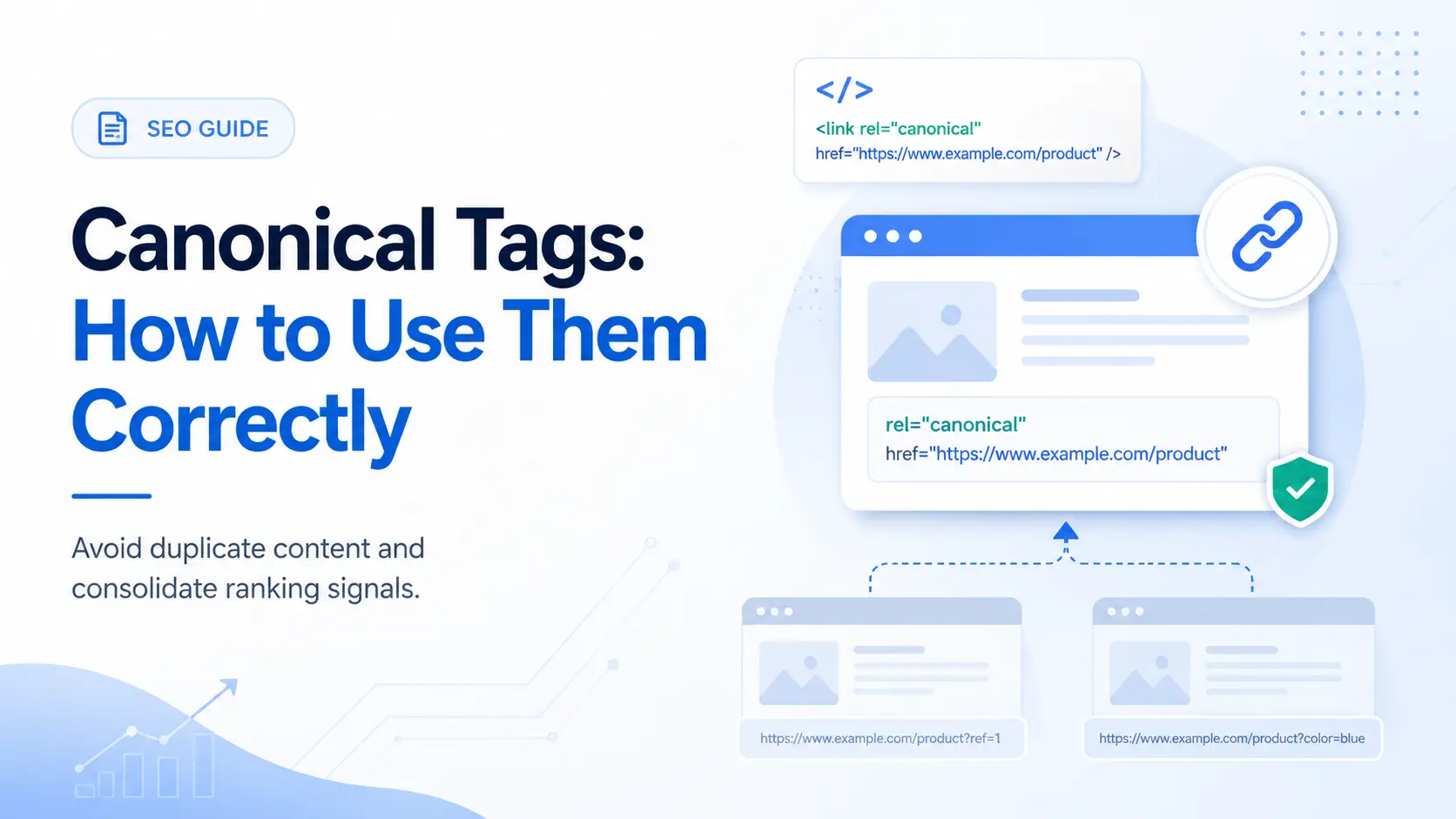
A canonical tag is an HTML element placed in the <head> of a webpage that tells search engines which URL is the preferred version of that page. It uses the rel="canonical" attribute and points to the URL you want Google to index and rank.
Multiple URLs serving the same or near-identical content, through filter parameters, tracking codes, CMS-generated variants, or syndication, split link equity across versions. The canonical tag consolidates that equity into one URL and protects your crawl budget. Google treats it as a strong hint, not a hard directive. That distinction matters, and we cover it in full below.
This guide covers everything from the HTML syntax to CMS walkthroughs, the 7 mistakes that break canonical signals, and how AI engines like ChatGPT and Perplexity use canonical data when deciding which page to cite.
What Is a Canonical Tag?
A canonical tag is a <link> element added to the <head> section of an HTML page. Its purpose is to declare a preferred URL when duplicate or near-duplicate pages exist.
The rel="canonical" Element Explained
The tag looks like this: <link rel="canonical" href="https://a1technovation.com/blog/canonical-tags-guide/" />
It lives in the <head> of the page it is placed on. The href attribute contains the absolute URL of the page you want search engines to treat as the canonical, or preferred, version.
- The URL must be absolute: include the full protocol, domain, and path.
- The tag must appear only once per page.
- It must live inside the
<head>element, not the body.
Google reads this tag and uses it as one of several signals to determine which version of the page to index and rank. The key word is signal. More on that shortly.
Canonical URL vs. Canonical Tag: The Difference
A canonical URL is the preferred version of a webpage that search engines select for indexing. A canonical tag is one method you use to declare that URL.
These are not the same thing. The canonical URL is the outcome. The canonical tag is the instruction. Google may select a canonical URL for your page even if you have never added a canonical tag. It uses other signals like backlinks, internal links, sitemaps, and HTTPS preference to make that call automatically.
Your job is to make the right declaration before Google guesses, then stack enough signals that it follows your guidance.
How Canonical Tags Affect SEO (and Why They Matter in 2026)
Canonical tags do four concrete things for your SEO.
Link Equity Consolidation
When the same content exists at multiple URLs, like https://example.com/product/ and https://example.com/product/?color=blue, backlinks pointing to either version split their ranking power. A canonical tag pointing both versions to the main URL consolidates that link equity into one page. Rankings become stronger and easier to maintain.
Crawl Budget Protection
Search engines allocate a fixed crawl budget to each site. If your CMS generates hundreds of parameter-based or filter-based URLs, Googlebot can spend that budget crawling duplicates instead of your important pages.
Canonical tags tell crawlers to prioritize the preferred URL, which frees up budget for content that actually earns rankings.
Duplicate Content Management
Duplicate content does not trigger a penalty by itself, but it creates ambiguity. Google has to pick one version of your content to show in results, and it might pick the wrong one. Canonical tags remove that ambiguity and protect your ability to control which URL ranks.
AI Search and Canonical Clarity
This is the dimension most older guides miss. AI engines, including Google AI Overviews, ChatGPT search mode, and Perplexity, retrieve content before they write an answer. When they encounter duplicate or near-duplicate pages with conflicting canonical signals, they face the same ambiguity Google faces: which version is the real source?
A page with missing or broken canonical tags can be skipped as a duplicate during retrieval, or cited from an unintended URL variant. That means someone searches for a canonical tag explanation in ChatGPT, your content is the best answer, but the AI cites a URL you never intended, or skips you entirely.
Correct canonical implementation is now table stakes for GEO. If you want the wider technical foundation behind that idea, our technical SEO guide explains how crawlability, indexation, structure, and canonical signals work together.
How to Add a Canonical Tag (With Real Code Examples)
The Correct HTML Syntax
The canonical tag always goes inside the <head> element of the HTML page you are canonicalizing, not the page you are pointing to.
Use a structure like this in your source code: <link rel="canonical" href="https://a1technovation.com/blog/canonical-tags-guide/" />
Always use the full absolute URL, protocol, domain, and path. Never use a relative path like /blog/canonical-tags-guide/. Relative URLs introduce ambiguity across environments and increase the chance Google reads the tag incorrectly.
Self-Referential Canonical Tags
A self-referential canonical is a canonical tag that points to the page it sits on. Example: <link rel="canonical" href="https://a1technovation.com/blog/technical-seo-guide/" />
Every page on your site should have a self-referential canonical, even if no known duplicate exists. This prevents CMS-generated URL variants from claiming priority and makes ownership of the preferred URL explicit.
Cross-Domain Canonical Tags
A cross-domain canonical tells Google that the content on the current page originated on a different domain. It is used for content syndication.
If A1 Technovation publishes a guide and a media partner republishes it on their site, the partner page should include <link rel="canonical" href="https://a1technovation.com/blog/canonical-tags-guide/" />. This tells Google to rank the original source instead of the republished copy.
Canonical Tags via HTTP Header (for PDFs and Non-HTML Files)
HTML pages use the <link rel="canonical"> element. For non-HTML assets like PDFs, you declare the canonical via an HTTP response header. Example: Link: <https://a1technovation.com/downloads/seo-audit-checklist.pdf>; rel="canonical"
This requires server-level configuration in Apache, Nginx, or a CDN rule set. Use it whenever files like PDFs or docs can exist at multiple URLs.
How to Add Canonical Tags in WordPress, Shopify, and Magento
In WordPress, the easiest path is through an SEO plugin. Yoast and Rank Math both support custom canonicals and generate self-referential canonicals by default when nothing custom is set.
In Shopify, the platform adds canonical tags to standard product, collection, and blog pages automatically. For custom needs, use the {{ canonical_url }} variable in the relevant Liquid template.
In Magento, enable the canonical meta tag settings under catalog search engine optimization so product and category pages output the preferred URLs automatically.
Whatever CMS you use, inspect the final page source to confirm only one canonical appears. This check belongs in every SEO audit workflow because duplicate canonicals are common on plugin-heavy stacks.
When to Use a Canonical Tag (and When Not To)
Use Cases That Need Canonical Tags
- URL parameter variations like
?sort=price,?page=2, or?utm_source=email - Session IDs appended by the server
- Trailing slash inconsistency
- HTTP vs. HTTPS and www vs. non-www, after redirects are in place
- Syndicated content on partner domains
- Printer-friendly pages
- Product variant pages and faceted navigation in ecommerce stores
- Paginated pages that still need self-referential canonicals on each page
When a 301 Redirect Works Better
Use a 301 redirect instead of a canonical tag when you no longer need the duplicate URL at all, when you are consolidating domains, or when you want the cleanest possible signal. Redirects are directives. Canonicals are hints.
The general rule is simple: if you can redirect, redirect. Use canonical tags only when the alternate URL must stay live for a functional reason.
| Factor | Canonical Tag | 301 Redirect |
|---|---|---|
| Signal type | Hint | Directive |
| Duplicate URL remains accessible | Yes | No |
| Passes link equity | Yes in most cases | Yes immediately |
| Best for | Live duplicate URLs | URLs to retire |
| Use with tracking URLs | Yes | No |
Stacking Canonical Signals for Maximum Effect
Google treats canonical tags as hints, not directives. The more consistent signals you stack, the more reliably Google follows your declared canonical.
Signal 1: rel="canonical" Tag
This is your starting point. Place it on every page, pointing to your preferred URL.
Signal 2: 301 Redirect
Redirect alternate versions to the canonical URL wherever possible. For HTTP/HTTPS and www/non-www, always use a redirect first, then add a canonical as reinforcement.
Signal 3: XML Sitemap
Include only canonical URLs in your XML sitemap. If a non-canonical URL appears there, you are sending mixed signals. At A1 Technovation, our USA SEO pages sitemap architecture always uses canonical URLs only.
Signal 4: Internal Linking Consistency
Link to the canonical version of a page consistently throughout your site. Navigation, breadcrumbs, footer links, and in-content links should all agree with the canonical target. Internal links remain one of the strongest canonicalization signals because they show how your own site treats the URL.
Together, these four signals create a clear, machine-readable declaration that Google and AI retrieval systems can follow confidently. They also support the on-page clarity we cover in our on-page SEO guide.
7 Canonical Tag Mistakes (and How to Fix Them)
These are the mistakes we find most often during technical SEO reviews and audits.
Mistake 1: Multiple Canonical Tags on One Page
The problem: two canonical tags in the <head> tell Google there are two preferred versions, so it often ignores both.
The fix: view the source, search for rel="canonical", and remove the duplicate output from the theme, plugin, or custom template.
Mistake 2: Pointing to a Redirected URL
The problem: your canonical points to a URL that immediately 301-redirects elsewhere.
The fix: always point canonical tags to the final destination URL that returns a 200 status code.
Mistake 3: Using Relative URLs Instead of Absolute
The problem: relative canonicals can fail across staging, syndicated environments, or alternate base domains.
The fix: always use the full absolute URL including protocol, domain, and path.
Mistake 4: Canonical Chains
The problem: page A canonicals to page B, and page B canonicals to page C. Google follows one hop only, and everything beyond that becomes unreliable.
The fix: point every canonical directly to the final preferred URL with no intermediary step.
Mistake 5: Canonicalizing a Noindexed Page
The problem: your canonical target is marked noindex, which tells Google not to index the very page you are calling canonical.
The fix: the canonical target must always be indexable.
Mistake 6: Cross-Language Canonicalization
The problem: a French page canonicalizes to an English page, which tells Google the French page is a duplicate rather than a valid language variant.
The fix: each language version needs a self-referential canonical plus reciprocal hreflang annotations.
Mistake 7: Overusing Canonicals on Non-Duplicate Pages
The problem: canonicals are applied to pages that are genuinely different, so Google starts treating your canonical hints as unreliable.
The fix: use canonical tags only where content is the same or nearly the same. If the content is meaningfully different, treat it as its own page.
How to Verify Your Canonical Tags Are Working
Google Search Console URL Inspection
Open Google Search Console, inspect the URL, and compare the user-declared canonical with the Google-selected canonical. If they differ, your signals are conflicting or too weak.
Screaming Frog Canonical Audit
Run a crawl, review the canonicals report, and look specifically for duplicate canonicals, non-indexable canonicals, and canonical chains. This is still the fastest way to verify implementation at scale.
Manual Browser Check
Open the page source, search for canonical, and confirm exactly one tag appears, pointing to the correct absolute URL. For Google’s own reference on the standard, see the Google Search Central canonical documentation. For a neutral definition of the HTML element itself, see the Wikipedia canonical link element page.
Canonical Tags and Hreflang: How They Work Together
Canonical tags and hreflang serve different purposes. Canonical tags handle URL deduplication within a single language or region. Hreflang tags connect equivalent pages across languages and regions.
The core rule is simple: never cross-canonicalize languages. Every language version gets its own self-referential canonical. Use hreflang to connect language variants, not to replace canonicals or compete with them.
Canonical Tags for E-Commerce Sites
E-commerce sites generate duplicate content by design. Product variants, filter parameters, and pagination are the three highest-risk areas.
Variant pages often canonicalize back to the main product page. Filter URLs usually canonicalize to the clean category URL. Paginated pages should keep self-referential canonicals instead of all pointing back to page 1, or deeper inventory can disappear from crawl paths.
If you are building category templates or large catalog landing pages, our technical SEO services cover the implementation layer where these rules usually break.
Canonical Tags in AI Search (GEO Implications)
AI engines built on retrieval-augmented generation retrieve content before generating answers. During retrieval, they inspect canonical tags, sitemap inclusion, and internal link consistency to decide which version of a page is authoritative.
Broken or missing canonicals cause AI systems to either skip a page as a likely duplicate or cite the wrong URL variant. When an AI engine cites your content from a parameter-based URL instead of the clean canonical URL, authority and attribution become diluted.
From our A1 Technovation work on AEO and GEO optimization, the same pattern appears repeatedly: AI retrieval works best when the canonical, schema url, sitemap entry, and internal links all agree. AI search is not separate from technical SEO. It is an extension of it.
FAQ
Is a canonical tag the same as a 301 redirect?
No. A 301 redirect physically moves users and crawlers from one URL to another and removes the original from circulation. A canonical tag keeps both URLs accessible but tells Google which one to index. Use 301 redirects when you no longer need the duplicate URL. Use canonical tags when the duplicate URL must stay live, such as tracking or parameter-based URLs.
Do I need a canonical tag on every page?
Yes. Every page should carry a self-referential canonical, even if no known duplicate exists. This prevents search engines from being confused if someone else links to your content, or if your CMS generates a second URL for the same page. Self-referential canonicals add a protective layer with no downside.
Can Google ignore my canonical tag?
Yes. Google treats canonical tags as a strong hint, not a directive. If Google believes another version of the page is more authoritative based on backlinks, internal links, or content signals, it may override your declaration. Stacking all four canonical signals gives Google the consistent signal set it needs to honor your preference.
What happens if I have two canonical tags on one page?
Google ignores both. Multiple canonical tags send conflicting signals. This is a common CMS problem when a plugin and a theme each generate their own canonical. Check your page’s HTML head section in View Source or audit your site with Screaming Frog to confirm only one canonical exists per page.
Can I use a canonical tag across different domains?
Yes. Cross-domain canonical tags work for content syndication. If a partner site republishes your content, they add a canonical tag pointing to your original URL. Their page will not rank for the content. Your canonical source will. Use this for syndication, not as a substitute for hreflang on international sites.
How do canonical tags interact with hreflang?
They must not conflict. Every language or region version of a page needs its own self-referential canonical and its own hreflang annotations pointing to all language variants. If you point a French page’s canonical to the English version, Google discards the French hreflang entirely, breaking your international targeting across the full cluster.
How do I verify my canonical tags are working?
Use Google Search Console’s URL Inspection tool. Enter the URL and scroll to the Page indexing section. It shows both the user-declared canonical and the Google-selected canonical. If they differ, your canonical signals are being overridden. Screaming Frog’s canonical report covers the same data at site scale.
Do canonical tags affect how AI engines cite my content?
Yes. AI engines use canonicalization signals to identify the authoritative version of a page before including it in a generated answer. Missing or conflicting canonical tags cause AI retrieval systems to skip the page or cite an unintended URL variant. Correct canonical implementation, combined with Article schema where the URL field matches the canonical, increases the reliability of AI citation attribution.
Next Steps
Canonical tags are one piece of a complete technical SEO foundation. Getting them right protects every other SEO signal on your site.
If you want our team to audit your canonical implementation, including a full site crawl, Search Console verification, hreflang conflict check, and AI citation signal review, our technical SEO service covers the full process.
For a broader site health workflow, start with our 30-step SEO audit guide. Canonical tags appear as one checkpoint there, but the surrounding checks like redirect chains, sitemap accuracy, and internal link consistency all feed directly into canonical signal strength.
Go deeper on canonical and technical SEO
These companion pages extend the canonical discussion into audits, implementation, and page-level optimization.
Written by Likhon Ahmed, Founder & SEO Director of A1 Technovation. Likhon has 7+ years of hands-on SEO experience working with 150+ clients across the USA, UAE, Qatar, Saudi Arabia, and Bahrain. A1 Technovation has been a full-stack digital marketing agency since 2018, specializing in technical SEO, AEO, and GEO for businesses that need to rank on Google and get cited by AI engines.
Need Help Cleaning Up Canonical Signals Across Your Site?
A1 Technovation helps teams fix duplicate URL patterns, redirect conflicts, hreflang clashes, and AI citation issues caused by weak canonical implementation.
Talk to our team →