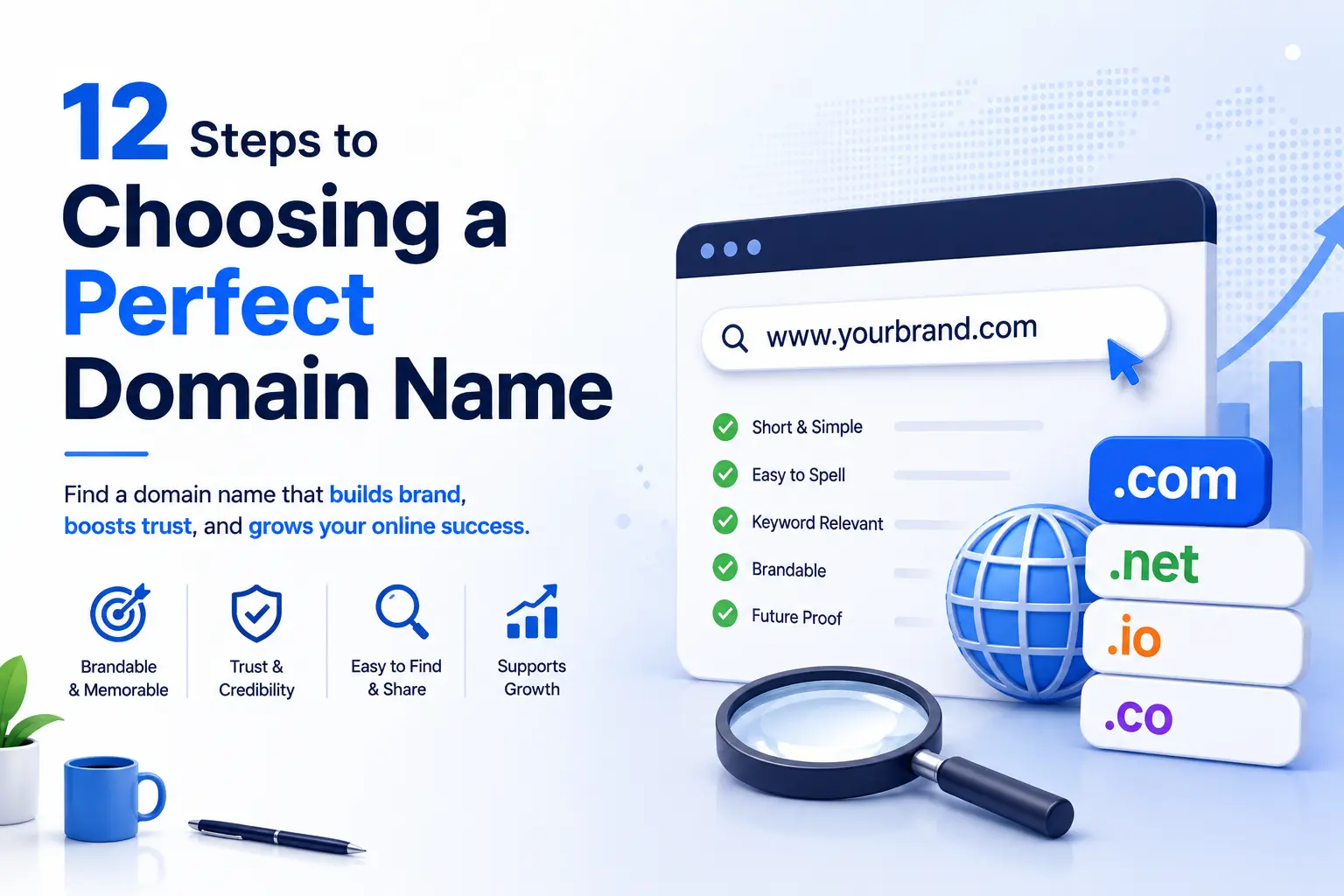
Your domain name is the first thing every visitor, search engine, and AI engine sees. Get it wrong and you spend years managing weak brand recall, traffic leakage to competitors, and costly rebranding, or a trademark dispute that forces a full migration. Getting it right from day one is one of the highest-use decisions you make when launching a website.
Choosing a perfect domain name means clearing 12 specific hurdles, in order. Skip one and you risk a problem that cannot be fixed without starting over.
The 12 steps to choosing a perfect domain name:
- Define your brand identity and naming criteria
- Keep it short: 6 to 14 characters
- Make it easy to spell and say out loud
- Avoid hyphens, numbers, and double letters
- Choose the right domain extension
- Decide between a branded and keyword domain
- Audit the domain's history before registering
- Clear trademark and legal issues
- Verify social media handle availability across platforms
- Run the scalability test
- Understand the total cost of ownership
- Register fast and pair it with reliable hosting infrastructure
Over 363 million domains are registered across all top-level domains today. The best names are short, easy to say over the phone, and built for a brand, not just for a keyword. Each step below gives you a clear action with the reasoning behind it.
Choosing a domain name requires passing it through 12 filters: brand alignment, character length, spelling clarity, pronunciation, extension choice, keyword balance, history audit, trademark clearance, social handle consistency, scalability, total cost, and hosting fit. Skip any filter and the name will cost you traffic or force a rebrand later.
Step 1: Define Your Brand Identity and Naming Criteria Before You Search
Before typing a single domain into a search bar, you need a written set of naming criteria. Without that filter, you will spend hours evaluating options that feel right in isolation but pull your brand in different directions.
The Four Brand Filters Every Domain Must Pass
Every strong domain name passes four tests before it gets shortlisted.
The Four Brand Filters
Memorable: The name sticks after a single exposure. A user who hears it in a podcast or sees it on a business card should be able to recall it 24 hours later without notes.
Meaningful: The name carries an association to your category, your brand personality, or both. It does not have to describe your product literally, but it should not be arbitrary noise. "Stripe" means nothing about payments on the surface, but the word carries precision and speed. That association works.
Built to grow: The name does not lock you into a product, city, or era. A name that works for a single-product startup today should still work for a multi-product company five years from now.
Distinctive: The name is not easily confused with competitors. Phonetic similarity to a major brand is a legal risk and a brand clarity risk. Distinctiveness protects you on both fronts.
The Five-Question Brand Brief
Before evaluating any domain name, answer these five questions in writing. They become your filter for every option you consider.
- Does this name represent the brand we plan to build in three years, not just the product we are launching today?
- Does someone unfamiliar with our industry understand the tone and category from the name alone?
- Could a stranger spell this name correctly after hearing it once?
- Does this name create any confusion with an existing brand in our category?
- Does this name give us room to expand our product line, geography, or audience?
Any name that fails more than one of these questions goes back to the drawing board before you spend a single dollar on registration.
Naming Strategy by Business Type
The right naming approach differs based on the nature of your business.
SaaS companies tend to perform well with short, coined names that have no prior associations, names like Vercel, Render, or Notion. These names build equity through product quality rather than inherent meaning.
E-commerce brands generally benefit from brand name-first domains that optionally include a category keyword, Gymshark, Away, or Allbirds. The brand name carries the weight; the category context is secondary.
Service businesses and agencies can be more flexible with naming, but they pay a lasting price for names tied to a specific city, service type, or trend. A name like "MiamiSEOPros.com" is a ceiling, not a foundation.
Infrastructure buyers, the people who purchase dedicated servers, bare metal servers, and VPS hosting, respond to credibility, directness, and names that do not need explaining. Gimmicks and puns read as amateur.

Step 2: Keep It Short: The 6-to-14 Character Rule
A domain name with fewer than 15 characters is significantly easier to remember, less prone to typos, and faster to type on any device, and mobile now accounts for more than 60% of all web traffic globally.
The Data Behind Short Domains
The most recognized brand domains in the world are built on brevity. Google is 6 characters. Amazon is 6. Apple is 5. Stripe is 6. These are not coincidences. Short names reduce the cognitive load on the user, both when recalling the name and when typing it.
Longer names compound error probability with every added character. On mobile, typing a 25-character domain on a small keyboard while switching between alpha and numeric inputs creates friction that costs real traffic. A visitor who mistyped your domain once is less likely to try again.
The 6-to-14 character range covers most strong brand names. Names in the 15-20 character range require more memorability to overcome their length. Names above 20 characters almost always carry a structural naming problem, they are usually descriptive phrases, not brand names.
The Character Count Comparison
| Domain Example | Character Count | Memorability | Typo Risk |
|---|---|---|---|
| bestcoffeemachinesonline.com | 28 | Very low | Very high |
| coffeestore.com | 15 | Medium | Medium |
| kopiko.com | 9 | High | Low |
| jo.com | 5 | Very high | Very low |
Handling the Short Name Availability Problem
Most clean short names in .com are already registered. There are practical paths around this without stretching into long territory.
Add a qualifier after the brand name rather than before it. UX research consistently shows users type the brand name first when working through, "Brand" before "HQ" or "App." Starting your domain with a modifier like "GetBrand.com" works against this instinct and weakens browser autocomplete accuracy.
Strong modifiers that preserve brand authority: HQ, App, Go, Try, Use. Modifiers to avoid: Best, Top, Pro, Official, these read as generic rather than branded, and they date poorly.
A different TLD is often the right move before adding words. If your brand name is available in .co, .io, or a relevant ccTLD, that choice carries less friction than a modified .com.
Step 3: Make It Easy to Say Out Loud: The Phone Test
Say your chosen domain name out loud to someone who has never heard of your business. If they ask how to spell it, need a hyphen clarified, or request that you repeat it, the name will cost you traffic every time it passes through a conversation.
Three Spelling Traps That Kill Recall
Three Spelling Traps That Kill Recall
Homophones create permanent ambiguity. A domain that sounds like it could be spelled two different ways ("their" vs "there," "write" vs "right") splits your traffic every time someone hears the name rather than sees it. Avoid homophones entirely in domain naming.
Uncommon or silent letters trip up users who learned the word aurally before seeing it written. Creative spellings like "Krave" instead of "Crave" add brand originality but subtract typing accuracy. The trade-off is rarely worth it unless the brand is already well-established enough to carry the spelling through media coverage and familiarity.
Abbreviations and number substitutes, "u" for "you," "4" for "for," "2" for "to", were popular in early web naming and are now associated with low-quality domains. Avoid them unless the abbreviation or number is your legal brand name.
The Double Letter Problem
The Double Letter Problem
Double letter clusters in domain names produce consistent typing errors because the duplication is hard to perceive in a string of lowercase text.
"chessstrategies.com" looks plausible but produces "chesstrategies.com" for roughly one-third of users typing it quickly. "grassseed.com" has three consecutive S characters that most readers will miscount. The rule is straightforward: if your domain name creates a cluster of identical adjacent letters at a word boundary, redesign the name or add a separator.
The phone test catches this before registration. Read the domain to someone unfamiliar with your business and watch them type it. One missed registration is worth far less than losing a percentage of all traffic forever.
Step 4: Avoid Hyphens and Numbers: The Mobile Penalty
Hyphens and numbers increase cognitive load, signal spam risk to sophisticated users, and create a permanent friction point for everyone typing your URL on a phone.
The Mobile Keyboard Problem
On a mobile device, the alphabetic keyboard and the numeric/symbol keyboard are separate screens. Switching between them requires a deliberate tap, a small action that breaks the flow of typing and introduces error opportunities.
A hyphenated domain like "cool-domain.com" forces the user to locate the hyphen key on the symbol keyboard, insert it in the correct position, and return to alphabetic input. Multiply that by every mobile visitor who types the URL from a business card, sign, or verbal referral, and the compounded error rate becomes a measurable traffic problem.
Numbers create a different but equally damaging issue: ambiguity. "3solutions.com" forces every potential visitor to decide whether the intended character is the numeral "3" or the word "three." You cannot resolve that ambiguity in verbal communication without spelling it out every time, "it's the number three, not the word", which undermines the utility of having a short domain in the first place.
When a Number Is Acceptable
There is one clear exception: when the number is part of your legal brand name, consistently used across all brand touchpoints, and not inserted to approximate a keyword.
Clothing retailer 3sixteen uses the domain 3sixteen.com. The number is the brand. That consistency eliminates ambiguity, users who know the brand know the domain. The problem arises when numbers appear in domains as keyword substitutes or creative workarounds for taken names, not as genuine brand elements.
Hyphens and Domain Reputation
Beyond usability, hyphenated domains carry a reputation burden. Spam-heavy and low-quality domains frequently use hyphens to approximate taken names, "best-discount-phones.com" as a workaround for "bestdiscountphones.com." Sophisticated users associate visible dashes in a URL with spam or low-quality content before the page loads.
If your preferred name requires a hyphen to work, the name has a structural problem. The right response is a different name, not a hyphenated version of a taken one.

Step 5: Choose the Right Domain Extension
The domain extension signals the nature and geographic focus of your site. A .com domain carries the most universal recognition and user trust, but there are sound cases for ccTLDs, .org, and select niche TLDs depending on your business model and target audience.
.com Remains the Default for Most Businesses
Approximately 44-47% of all websites globally use the .com extension. That concentration exists because .com is what users default to when they cannot remember a URL. They may remember your brand name clearly and still type ".com" at the end out of habit, which means a .com registration captures that traffic by default, while an alternative TLD loses it.
Google has consistently stated that all domain extensions receive equal treatment in rankings. The ranking parity is real. The user trust gap is also real and Google cannot eliminate it, because it lives in user psychology rather than in algorithm logic. A .com signals a legitimate business to most users in most markets.
If the .com is available for your chosen name at a reasonable price, register it.
The ccTLD Decision Framework
Country code top-level domains (ccTLDs) are two-letter extensions assigned to specific countries: .co.uk for the United Kingdom, .de for Germany, .fr for France, .au for Australia. Google treats ccTLDs as geographic signals for country-specific search results, a meaningful advantage for businesses that serve a defined regional market.
| Business Target | Recommended Extension | Rationale |
|---|---|---|
| Global or US audience | .com | Universal recognition, default user behavior |
| UK market | .co.uk | Strong local trust, geographic ranking signal |
| German market | .de | Standard expectation for German businesses |
| French market | .fr | Strong local credibility |
| Tech startup (global) | .com primary, .io secondary | .io carries developer-culture associations |
| Nonprofit organization | .org | Global recognition for nonprofits |
| E-commerce (US or global) | .com or .shop | .shop is growing in e-commerce context |
| Personal or portfolio site | .com or .me | .me is established for personal sites |
For businesses targeting multiple regions, the standard approach is to register the .com as the primary domain and acquire the relevant ccTLDs for each target market, then 301-redirect all ccTLDs to the primary .com until regional sites are ready to be built out.
TLDs to Avoid
Spamhaus publishes reputation data on domain extensions by abuse rate. TLDs like .top, .xin, .xyz, .click, and .download have historically ranked high on abuse lists because they are either extremely cheap or minimally regulated. A business domain using these extensions faces immediate credibility questions from sophisticated buyers.
Before committing to any niche TLD, check the current Spamhaus TLD statistics at spamhaus.org to verify the extension's current abuse level. If it appears in the high-abuse tier, choose a different extension.
Internationalized Domain Names
For businesses targeting markets where the primary audience reads non-Latin scripts, Arabic, Chinese, Cyrillic, Thai, Internationalized Domain Names (IDNs) allow the domain itself to appear in the local script rather than a Latin transliteration. IDN support varies by registrar. If your audience reads in a non-Latin script and you plan aggressive local market penetration, IDN registration is worth exploring alongside your primary Latin-script domain.
Step 6: Decide Between a Branded Domain and a Keyword Domain
A branded domain is a distinctive name that builds its meaning through brand association, think Stripe, Shopify, or Vercel. A keyword domain includes the target search term directly, think cheapflights.com or bestrunningshoes.com. Both can work, but they serve different strategic purposes and carry different long-term implications.
The EMD Era Is Over
Before Google's September 2012 Exact Match Domain (EMD) update, keyword-stuffed domains ranked with thin content because the algorithm treated keyword presence in the domain name as a strong relevance signal. A site at "discountrunningshoes.com" could outrank a better site simply because the domain matched the query.
Google's 2012 EMD update specifically targeted this dynamic. After the update, exact match domains with thin or low-quality content lost their unearned ranking advantage.
John Mueller, Google's Search Advocate, has addressed this directly in multiple public Q&A sessions: keywords in domain names provide no recognizable ranking advantage over branded alternatives. The quality of content and the authority of the backlink profile determine rankings, not whether the domain includes the search keyword.
An EMD only performs well when the content and authority behind it are already strong. At that point, the EMD itself is doing little of the work.
The Lasting Use Cases for Keyword Domains
Keyword domains still offer one measurable advantage: click-through rate in search results. When a user sees a domain that matches their search query exactly, the domain itself acts as a relevance signal in the SERP listing. This CTR lift is real, but it is a narrow advantage compared to the limitations keyword domains impose.
A keyword domain restricts brand flexibility. "BestRunningShoes.com" makes sense while you only sell running shoes. The day you expand into cycling, gym equipment, or athletic apparel, the domain creates brand confusion rather than clarity.
The Hybrid Approach Balances Both
Domain Strategy Comparison
The most durable approach combines brand identity with category context: [BrandName][Category].com.
VerveCoffee.com carries both a distinctive brand name and a category signal. Gymshark.com reads as a brand while the category association is implicit. This structure provides semantic clarity for first-time visitors while building brand equity through the name rather than the keyword.
Structure matters here: put the brand name first, not the category. "CoffeeVerve.com" is harder to recall and type from memory than "VerveCoffee.com" because users start typing what they remember, the brand, and autocomplete handles the rest.
| Domain Strategy | SEO Benefit | Brand Equity | Scalability | Long-Term Risk |
|---|---|---|---|---|
| Exact Match Domain (EMD) | Low post-2012 | Very low | Very low | High. Locked to one keyword. |
| Branded Domain | High (content-driven) | Very high | Very high | Low |
| Hybrid Domain | Medium | High | High | Low |
Step 7: Audit the Domain's History Before You Register
Every domain name has a history. That history can help or destroy your site's ability to rank, send email, and earn user trust, especially if a previous owner used it for spam, link farming, or black-hat SEO.
This step matters most for two scenarios: registering an expired domain that was previously active, and purchasing a domain through an auction or marketplace. For genuinely new, never-registered domains, the audit is still worthwhile but will typically return clean results.
The 4-Step Domain History Audit
The 4-Step Domain History Audit
Step 1: Run a Wayback Machine check. Visit web.archive.org and enter the domain. Review what the domain hosted across its history. A domain that previously served pharmaceutical spam, adult content, or a link farm carries association penalties that can take years to clear. If the domain hosted content completely unrelated to your planned site, proceed with extra caution, Google's March 2024 Core Update specifically targeted "expired domain abuse," the practice of using old domains to rank unrelated content.
Step 2: Scan the backlink profile. Use Ahrefs, Moz, or SEMrush to examine the domain's inbound links. A genuinely unused domain has zero or a handful of links. A suspicious domain carries thousands of links from unrelated sites, link networks, or casino and pharmaceutical spam sites. These toxic links transfer with the domain and require a formal disavow process to neutralize, a cost in time and SEO authority that most buyers do not factor into the purchase price. This is a critical part of any thorough SEO audit and should not be skipped.
Step 3: Run a Google index check. Search for site:yourdomain.com in Google. A domain in good standing with no prior content returns no results, which is correct for a new registration. A domain that returns spammy indexed pages has active content problems. A domain that was previously indexed but now returns zero results may have received a manual action penalty from Google. Both situations require investigation before registration.
Step 4: Check the Spamhaus blocklist. Spamhaus maintains records of domains associated with malware distribution, phishing, and spam campaigns. A domain on this list will trigger spam filters for every email you send from that domain from day one, regardless of your own behavior. Check spamhaus.org before registering any previously owned domain.
The Expired Domain Risk in 2026
Google's March 2024 update made one thing unambiguous: buying expired domains to carry their historical backlink authority to unrelated content no longer works and can actively trigger a demotion. The update targeted exactly this practice.
An expired domain adds legitimate value only if your new site is topically identical to what the domain previously hosted and the backlink profile is clean. In any other scenario, a fresh domain registration is a cleaner foundation.

Step 8: Clear Trademark and Legal Issues Before Registering
Registering a domain name that conflicts with an existing trademark can force a full rebrand, new domain, new logo, new brand assets, new marketing materials, and potentially litigation costs, at a price that makes the original domain registration look trivial.
The Trademark Clearance Process
A proper trademark clearance check covers three databases, in order of priority for most businesses.
USPTO Trademark Database (available at uspto.gov) covers trademarks registered in the United States. Search for exact matches and phonetically similar names in your specific goods and services category. A trademark in a completely different category may not block your registration, but a match in your category is a deal-breaker.
EU Intellectual Property Office (euipo.europa.eu) covers trademark registrations across the European Union. If your business operates in or sells to EU markets, EU-registered trademarks carry enforcement weight even if you are based outside the EU.
WIPO Global Brand Database (branddb.wipo.int) covers international trademark registrations under the Madrid System. For businesses with global ambition, this check catches conflicts that national databases miss.
This clearance process takes less than an hour for a clean name. The cost of skipping it can be measured in months of legal proceedings and the full sunk cost of a brand you can no longer use.
Common Trademark Traps
Adding "get," "app," "hq," or "try" in front of a trademarked name does not create legal distance. If your domain is confusingly similar to a registered mark in your category, a trademark holder can still file and win a UDRP (Uniform Domain-Name Dispute-Resolution Policy) claim regardless of the modifier.
Phonetic similarities are treated as infringement risks, not just visual matches. "Amazen.com" for a retail business sits within actionable distance of Amazon's trademarks. The test is not "does it look identical", the test is "would a reasonable consumer be confused."
Country-level TLDs do not contain trademark liability. Registering "NikeSneakers.de" does not protect you from Nike's global trademark team because you used a German ccTLD.
UDRP: The Domain Dispute Mechanism
ICANN administers the Uniform Domain-Name Dispute-Resolution Policy, the standard process through which trademark holders reclaim domains registered in bad faith. Under UDRP, a complainant must prove three elements: they hold prior trademark rights, the domain is identical or confusingly similar to their mark, and the registrant has no legitimate interest in the domain.
UDRP cases resolve in days to weeks rather than years, and they resolve against cybersquatters in the majority of adjudicated cases. There is no practical protection from a valid UDRP claim. The only protection is choosing a name that does not create a conflict.
Step 9: Verify Social Media Handle Availability Across Platforms
Brand consistency across your domain and social media handles reduces the friction users experience when searching for your business on different platforms. It also directly strengthens your entity recognition with Google and with AI engines like ChatGPT, Gemini, and Perplexity, which build entity profiles using consistent brand signals across web properties.
The Cross-Platform Handle Check
Check availability across these platforms in this order of priority for most businesses:
- X (Twitter)
- LinkedIn (Company Page)
- YouTube
- TikTok
- GitHub (critical for tech products and developer tools)
- Pinterest (relevant for e-commerce and visual brands)
Tools like Namecheckr and Namecheckup let you run availability checks across all major platforms at the same time, which reduces the time required from hours to minutes.
Managing Handle Conflicts
Exact handle availability across every platform is rare for common brand names. A consistent modifier resolves most conflicts without fragmenting your brand identity.
The safest modifiers: @BrandHQ, @BrandApp, @BrandOfficial. Use the same modifier across all platforms rather than a different one per platform. "@BrandHQ" on Instagram and "@OfficialBrand" on X creates more confusion than a slight brand name variation would.
Register handles on platforms you do not plan to use immediately. Domain squatting on social handles is common, and reclaiming a squatted handle requires either paying the squatter or filing a brand impersonation complaint, a process that takes time and is not guaranteed to succeed.
Handle Consistency and Entity SEO
Google's Knowledge Graph and AI language models both build entity profiles using signals aggregated across multiple web properties. When your domain name, business name, and social handles all match, those signals reinforce a single coherent entity rather than several fragmented ones.
A business with "BrandName.com" as its domain, "@BrandName" on Instagram, and "BrandName" as its LinkedIn company page sends consistent entity signals that Google and AI engines can confidently connect. A business where each of those properties uses a different handle requires Google to infer the connection through other signals, a less reliable process that weakens entity authority. Entity optimization like this is an important part of AEO (Answer Engine Optimization) and GEO (Generative Engine Optimization).
Step 10: Run the Scalability Test Before You Commit
The domain name you choose today needs to accommodate your business in three years, not just today. Changing a domain after you have built traffic, earned backlinks, and established brand recognition costs you rankings, authority, and months of recovery time that you cannot get back.
The Three Scalability Scenarios Most Businesses Ignore
Three Scalability Scenarios Most Businesses Ignore
Geographic overspecificity: A city-specific domain name, "MiamiFlowers.com" or "ChicagoPizza.com", creates a credibility barrier the moment you serve customers outside that city. You can explain in your content that you ship nationally, but the domain itself signals local-only. Scaling out of a geographic domain requires either keeping a name that no longer fits or absorbing the full cost of a domain migration.
Product line overspecificity: "LeatherWatches.com" works while you only sell leather-strapped watches. The day you add metal straps, smartwatches, or watch accessories, the domain either limits your catalog or misleads visitors about the scope of your offer.
Business model binding: Names tied to a specific delivery mechanism or business model age poorly when the model changes. "RentYourSpace.com" creates friction if you later add purchase options. "SubscriptionBoxes.com" becomes a liability if subscriptions represent 20% of your revenue after year two.
The 5-Question Scalability Test
The 5-Question Scalability Test
Score your chosen domain against these five questions before registering. Each "yes" earns a point.
- Does this name still make sense if we serve a different city or country?
- Does this name work if we add a different product category?
- Would this name still be appropriate if we raise institutional funding or go public?
- Can someone explain the nature of our business without knowing the backstory behind the name?
- Does this name avoid any trend, cultural reference, or moment that could age poorly?
Scoring: 5/5 means register immediately. 3-4/5 means acceptable with caveats worth acknowledging. Below 3/5 means the name has a structural problem and warrants reconsidering.
The Real Cost of Domain Migration
Changing your domain name is not a one-afternoon task. A proper domain migration requires setting up 301 permanent redirects from every existing URL to its corresponding new URL, submitting an address change notification in Google Search Console, conducting outreach to external sites linking to your old domain to request link updates, updating all internal references, and waiting for Google to re-crawl and re-index the new domain, a process that takes three to six months under normal conditions.
Research published by DreamHost found that approximately 42% of domain migrations do not fully recover their original traffic levels. Some migrations result in permanent, partial traffic loss because not all ranking signals transfer cleanly. The cost of choosing the right name the first time is zero. The cost of migration is high and partially unpredictable.
For more on how search engines handle these signals, read our guide to how search engines work.

Step 11: Understand the Total Cost of Domain Ownership
Most domain registrars advertise first-year registration prices that do not reflect what you will actually pay to own that domain over time. Promotional first-year pricing for .com domains can be as low as $0.99. The same domain renews at $12-35 per year starting from year two, a jump that catches businesses off guard when they did not read the renewal terms before registering.
The Complete Domain Cost Stack
| Cost Component | Typical Range | Key Notes |
|---|---|---|
| Domain registration (year 1) | $0.99 – $14.99 | Promotional pricing is common; always check year-2 renewal rate before registering |
| Domain renewal (year 2+) | $9 – $35/year | .com averages $12-15/year at reputable registrars; premium names can run higher |
| WHOIS/RDAP privacy | $0 – $12/year | Most reputable registrars include this free; avoid registrars that charge for it |
| SSL certificate | $0 – $200+/year | Let's Encrypt SSL is free and accepted by all major browsers; paid certificates for specific use cases (EV SSL for high-trust industries) |
| Domain transfer fee | $8 – $20 one-time | Transfers typically extend your registration by one year |
| Premium domain purchase | $100 – $50,000+ | Market-rate pricing for previously registered names; requires RDAP ownership verification before payment |
| Redemption fee | $80 – $200 one-time | Charged if a domain enters the post-expiration grace period; avoidable with auto-renewal |
Auto-Renewal Is Not Optional
A domain that expires loses all the SEO equity accumulated during its registration period. More immediately damaging: a lapsed domain can be acquired by a domain squatter within hours of entering the post-expiration grace period. Recovering a squatted version of your own domain requires either purchasing it back at a significant premium or filing a UDRP claim, neither of which is fast or cheap.
Enable auto-renewal on every domain you register. Set a calendar reminder 60 days before the renewal date as a secondary failsafe. Verify that your payment method on file with the registrar is current, a failed auto-renewal charge is functionally the same as no auto-renewal.
Buying Pre-Owned Domains
Marketplaces like Sedo, Afternic, and Flippa list domains for sale ranging from a few hundred dollars to several million. A pre-owned domain with a clean backlink profile and a history of relevant content can provide a stronger starting foundation than a fresh registration because it carries accumulated authority that a new domain takes time to build.
Before purchasing any pre-owned domain, run the full 4-step domain history audit from Step 7. Verify current ownership through the ICANN RDAP lookup at lookup.icann.org before transferring any payment. Confirm the asking price against comparable sales on domain valuation tools rather than accepting the asking price as the market rate.
Factor the transfer fee into the total purchase cost, and verify the renewal rate for the extension before committing, some premium domains sit in extensions with elevated renewal rates.
Step 12: Register It Fast, Pair It With Reliable Hosting, and Protect Your Brand
Once you have cleared all 11 steps and settled on a name, speed matters. Domain availability changes constantly. A name available this morning may be registered by this afternoon if it is attractive enough that others are searching for it at the same time.
Act Within 24 Hours of Your Final Decision
Some registrars track search queries and make available domains available to affiliate purchasers, a practice commonly called "domain front-running" (disputed but reported anecdotally by many registrars). Regardless of whether front-running is a real risk with your registrar, there is no benefit to delaying after you have made a final decision. Register within 24 hours of finalizing your choice.
Choosing a Registrar
A reliable domain registrar provides transparent renewal pricing published before the registration step, WHOIS privacy at no cost or a minimal fee, DNSSEC support, straightforward nameserver management, auto-renewal options, and ICANN accreditation.
Verify ICANN accreditation through ICANN's official registrar list at lookup.icann.org. Avoid registrars that impose domain locking conditions that make transfers to a new registrar unnecessarily difficult, or that charge fees significantly above market rate for routine transfers.
The Domain-to-Hosting Connection: The Part Every Competitor Skips
DNS Propagation Timeline
Registering your domain name and hosting your website are two separate functions. After registration, you point your domain name to your web hosting server by updating the nameserver (NS) records in your registrar's DNS settings. The hosting provider's nameservers tell the internet's DNS infrastructure where to route traffic for your domain.
DNS propagation, the global distribution of those updated nameserver records, typically takes 24 to 48 hours. It can complete in as few as minutes if the previous TTL (Time to Live) setting was low, or take longer if ISPs cache old records. During propagation, some visitors see the old destination and others see the new one. This is normal, not a failure.
Choosing the right hosting provider matters beyond propagation. On shared hosting, your domain shares an IP address with dozens or hundreds of other sites. If a neighbor site on that shared IP is used for spam, your domain's email deliverability suffers because receiving mail servers evaluate the IP's reputation when deciding whether to accept your messages. This is not theoretical, it is a documented mechanism that affects businesses on shared hosting regularly.
A dedicated server or VPS gives your domain its own clean IP environment, eliminating neighbor-reputation risk entirely. Our dedicated server hosting provides isolated IP addresses, NVMe SSD storage, 10Gbps network ports, and a 99.99% uptime SLA, the infrastructure foundation that gives your domain name the performance and deliverability environment it deserves.
For teams building applications or development environments, our VPS hosting plans provide dedicated resources and full root access on both Linux VPS hosting and Windows VPS hosting configurations.
Register Your Key Misspellings and ccTLDs
After registering your primary domain, register the most common misspelling variants and redirect them to your primary domain via 301 redirects. This captures traffic from users who know your brand but mistype the URL, and it prevents competitors or squatters from registering those variations and benefiting from your brand recognition.
For businesses with international expansion plans, register the relevant ccTLDs for your target markets now rather than after a competitor claims them. A UK expansion requires .co.uk. A German launch requires .de. Acquiring these later costs more and sometimes requires negotiation with whoever registered them in the interim.
All secondary domains should point to your primary domain through 301 redirects, not parked pages. Parked pages split your link equity and send confusing signals to search engines about which version of the domain is canonical.
Enable DNSSEC for Domain Security
DNSSEC (Domain Name System Security Extensions) adds a cryptographic layer to DNS lookups, verifying that the DNS responses your visitors receive are genuine and have not been tampered with. Without DNSSEC, a DNS cache poisoning attack can redirect your visitors to a fraudulent site that looks identical to yours while intercepting their credentials or payment data.
Most major registrars support DNSSEC at no additional cost. Enable it at registration. If your registrar does not support DNSSEC, treat that as a signal to move your domain registration to a provider that does.
For businesses managing IP resources at scale, our IPv4 and IPv6 leasing and colocation services provide the infrastructure layer above the domain level, routing your IP space reliably through our BGP-multihomed network.
Common Domain Name Mistakes That Cost Businesses Rankings and Revenue
The 12 steps above cover what to do. These are the mistakes businesses make when they skip steps, move too fast, or treat domain registration as a minor administrative task.
- Choosing a domain that is too narrow for future growth. "MiamiSEOConsultant.com" becomes a liability the moment you serve clients outside Miami. The scalability test from Step 10 catches this before registration. Catching it after you have built 50 backlinks and three years of brand recognition is a much more expensive lesson.
- Skipping the domain history audit on an expired or auctioned name. A domain that hosted pharmaceutical spam carries that reputation into your registration. Google's March 2024 update made this problem permanent for topically mismatched uses. The 4-step audit from Step 7 takes less than 30 minutes. Cleaning up a penalized domain history takes months.
- Registering only the .com when your target market is regional. A UK business that secures the .com but ignores .co.uk creates an opening for a competitor to register the ccTLD and capture organic search traffic in exactly the market you are building for. Regional ccTLDs are inexpensive and worth pre-registering even if you are not ready to build them out.
- Choosing a domain based solely on keyword value. Post-2012, exact match domains carry no ranking shortcut. A domain built around a keyword at the expense of brand recall and scalability is a long-term liability disguised as an SEO strategy.
- Ignoring DNS security from day one. DNSSEC is free to enable and takes minutes to configure. Skipping it leaves your domain vulnerable to cache poisoning attacks that can redirect your users without your knowledge. There is no good reason to leave DNSSEC disabled.
- Forgetting auto-renewal. A domain that expires due to a failed payment or overlooked renewal date can be acquired by a squatter within hours. Recovering it costs far more than the renewal fee, and the damage to your brand continuity can be severe.
- Hosting on a shared IP without understanding the reputation implications. If you register a clean domain and host it on shared infrastructure where neighboring sites run spam operations, your email deliverability suffers immediately, before you send a single message. Moving to a dedicated server or VPS eliminates this risk at the infrastructure level.
Domain Name Selection Scoring Matrix
Use this matrix to evaluate any domain name before registering. Score each criterion from 1 to 5 using the guide provided. A total score of 45 or above means register immediately.
| Criterion | Scoring Guide | Your Score |
|---|---|---|
| Length | Under 10 chars = 5, 10-14 = 4, 15-18 = 2, 19+ = 1 | /5 |
| Spelling clarity | Typed correctly first try by 9/10 people = 5; needs one correction = 3; regularly misspelled = 1 | /5 |
| Pronunciation | Clear on first hearing = 5; needs clarification once = 3; requires spelling out = 1 | /5 |
| Brandability | Distinctive and coined = 5; descriptive but unique = 3; generic = 1 | /5 |
| TLD quality | .com = 5; .org/.net = 4; correct ccTLD for region = 4; niche TLD with clean reputation = 2; high-abuse TLD = 0 | /5 |
| Scalability | Passes all 5 scalability questions = 5; passes 4 = 4; passes 3 = 3; passes 2 = 2; passes 1 or fewer = 0 | /5 |
| Domain history | Zero prior history or completely clean = 5; minor flags, cleanable = 2; spam or penalty history = 0 | /5 |
| Trademark clearance | No conflicts in any database = 5; minor similarity, different category = 3; direct conflict = 0 | /5 |
| Social handle availability | Available on all major platforms = 5; available on most = 3; taken on most = 1 | /5 |
| Renewal cost | Under $15/year = 5; $15-30 = 3; $30-50 = 2; over $50 = 1 | /5 |
| Total | /50 | |
Score interpretation:
- 45 to 50: Strong on all criteria, register immediately
- 35 to 44: Good candidate with minor issues, note what scored low before proceeding
- 25 to 34: Proceed with caution, address the lowest-scoring criteria before registering
- Below 25: Structural naming problem, consider alternative names before investing further
Frequently Asked Questions About Choosing a Domain Name
Does a domain name directly affect SEO rankings?
A domain name has minimal direct impact on Google rankings. Google's Search Advocate John Mueller has confirmed that keywords in domain names provide no recognizable ranking advantage over branded alternatives. A domain name indirectly affects SEO by influencing user trust, click-through rates in search results, brand recall that drives direct traffic, and the credibility signals it communicates to both users and search engines. For a deeper understanding of how ranking factors work, see our complete SEO guide.
Should my domain exactly match my business name?
Your domain should closely reflect your business name, but an exact match is not always necessary or available. If the exact name is registered, add a qualifier after the brand name rather than before it. Users type brand names first when working through or using browser autocomplete. Starting the domain with your brand name and following it with a modifier like "HQ" or "App" works with that behavior rather than against it.
Is a .com domain always better than other extensions?
For most businesses targeting a global or US-based audience, .com is the strongest choice because of its universal recognition and the default behavior of users who type .com automatically. For businesses serving a specific country, a ccTLD like .co.uk or .de can signal local authority. Google treats all extensions equally in rankings. Users do not treat them equally in trust evaluations, which is why .com remains the default recommendation.
How do I check if a domain name is available?
Use the ICANN RDAP lookup at lookup.icann.org to search any domain's current registration status. If the domain is registered, the RDAP record shows a contact proxy for the current registrant, which you can use to open a purchase negotiation. Most domain registrars also offer availability search tools that suggest alternative names and extensions if your first choice is taken.
Should a domain name include keywords?
Including a relevant keyword can communicate your site's purpose clearly and may improve click-through rates for users who see a keyword match in the URL. However, keyword-stuffed domains that sacrifice brand clarity and scalability rarely outperform strong branded alternatives long-term. The hybrid approach, combining a brand name with a broad category keyword, balances memorability with semantic context without over-optimizing.
What happens if I need to change my domain name later?
A domain name change requires setting up 301 permanent redirects from every existing URL to the corresponding new URL, submitting an address change in Google Search Console, and conducting outreach to sites linking to the old domain. Full traffic recovery takes three to six months under favorable conditions. Research from DreamHost found that approximately 42% of domain migrations do not fully recover original traffic levels. The right initial choice eliminates this risk entirely.
How many domains should I register when launching?
Register your primary .com at a minimum. For brand protection, also register the most common misspelling variants and any ccTLDs for markets you plan to enter within the next two years. All secondary registrations should 301-redirect to your primary domain. A business planning UK, German, and Australian expansion should register .co.uk, .de, and .com.au alongside the primary .com before those markets are developed.
Do I need WHOIS privacy protection?
Yes. Without WHOIS privacy, your name, mailing address, and contact details are publicly visible in the domain registration database. This exposure leads to targeted spam campaigns, phishing attempts, and unsolicited sales outreach. Most reputable registrars include WHOIS privacy (now RDAP privacy) at no additional cost. Enable it at registration regardless of whether your registrar charges for it.
What is DNS propagation and how long does it take?
DNS propagation is the time required for updated DNS records, particularly nameserver (NS) records that point your domain to a new hosting server, to replicate across all DNS resolvers globally. Standard propagation takes 24 to 48 hours. Propagation completes faster when the previous TTL (Time to Live) value on the old DNS records was set low. During propagation, some users see the old destination and others see the new one. This is an expected behavior, not an error.
Does the age of a domain name affect SEO?
Domain age is not a confirmed direct ranking factor in Google's algorithm. However, an older domain with a clean history and an established backlink profile carries accumulated authority that a new domain takes time to build. Purchasing an aged domain purely for its registration date is not a sound strategy. The content quality and link authority built during the domain's history are what carry value, and those factors transfer only if the content is topically aligned and the backlinks are legitimate.

Likhon leads SEO strategy at A1 Technovation and has helped 150+ businesses improve technical visibility, indexation health, and organic growth. He specializes in technical SEO, content strategy, and AI search optimization.
View full profileBuild your online presence the right way
A great domain is just the beginning. These guides help you build, optimize, and grow your site from a solid foundation.
Your Domain Is Ready. Let's Build the Infrastructure.
Choosing the right domain is step one. Hosting it on infrastructure that protects your IP reputation, delivers fast page loads, and scales with your growth is what separates a serious business from a side project.
Talk to Our Team →